
How to Create Podcast Video in 2026: Complete Guide

The landscape of podcasting has evolved dramatically, with video becoming an essential component of content distribution. As platforms like YouTube, Spotify, and social media channels prioritize video content, podcasters who create podcast video content position themselves for greater reach and engagement. Whether you're launching a new show or adding video to an existing audio podcast, understanding the production process, technical requirements, and distribution strategies will help you deliver professional content that resonates with modern audiences.
Why Video Podcasts Matter in 2026
The shift toward video-first content consumption has fundamentally changed how audiences discover and engage with podcasts. Video podcasts generate 2-3 times more engagement than audio-only formats across major platforms.
Platforms are actively rewarding creators who produce video content. YouTube has become one of the leading podcast directories, and Spotify now prominently features video podcasts in its interface. This visibility translates to discoverability that audio-only formats cannot match.
Audience Expectations and Engagement
Modern podcast listeners expect multi-format content. They want the flexibility to watch at their desk, listen during commutes, and share compelling clips on social media. When you create podcast video content, you meet audiences where they are, providing consumption options that fit their lifestyle.
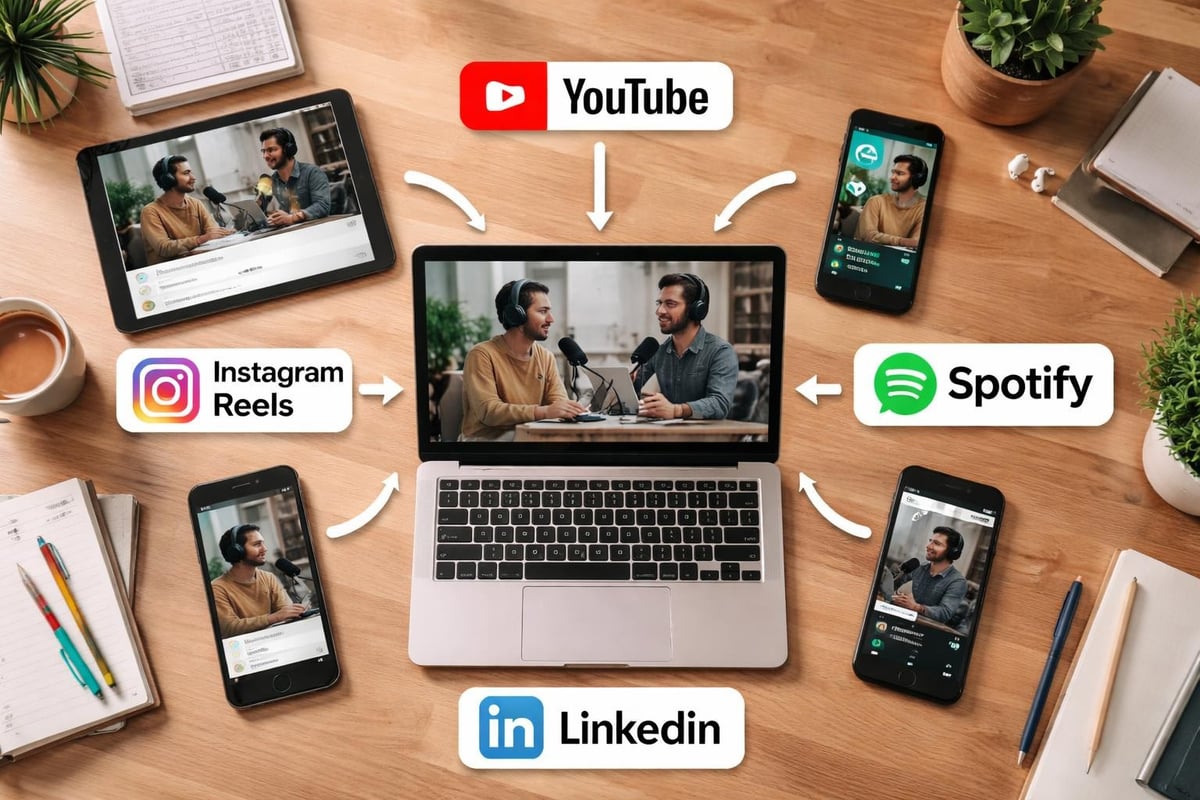
Key benefits of video podcasts include:
- Enhanced viewer connection through facial expressions and body language
- Increased shareability through short-form clips and highlights
- Better monetization opportunities across multiple platforms
- Improved SEO performance and discoverability
- Greater sponsor appeal and partnership potential
When examining successful podcasts on YouTube, the video element consistently drives higher retention and subscription rates compared to audio-only shows uploaded to the platform.
Essential Equipment for Video Podcast Production
Creating professional podcast video content requires strategic equipment investments that balance quality with budget considerations. The right setup eliminates technical distractions and keeps viewers focused on your content.
Camera Setup and Specifications
Your camera selection determines the visual foundation of your show. While smartphones can work for initial episodes, dedicated cameras provide superior image quality and professional features.
| Camera Type | Best For | Key Advantages | Price Range |
|---|---|---|---|
| DSLR/Mirrorless | High-quality productions | Interchangeable lenses, depth control | $800-$3,000+ |
| Webcam (4K) | Simple setups | Easy USB connection, compact | $150-$400 |
| Camcorder | Multi-camera setups | Long recording times, built-in features | $500-$2,000 |
| Smartphone | Budget starts | Portable, familiar interface | $0-$1,200 |
Professional video podcasters often use multiple camera angles to add visual variety. A professional-looking podcast film setup typically includes at least two cameras capturing different perspectives.
Audio Equipment Considerations
Never compromise audio quality, even in video podcasts. Viewers tolerate imperfect video more readily than poor audio.
Essential audio components:
- XLR microphones for broadcast-quality sound
- Audio interface to connect microphones to your computer
- Headphones for real-time monitoring
- Acoustic treatment to minimize echo and background noise
The basic equipment needed for podcasting applies equally to video productions, with audio remaining the primary consideration.
Lighting Fundamentals
Proper lighting transforms amateur video into professional content. Three-point lighting remains the industry standard, but you can achieve excellent results with simplified setups.
Basic lighting requirements include a key light positioned at 45 degrees from your subject, a fill light to soften shadows, and a backlight to create separation from the background. LED panels offer adjustable color temperature and intensity, allowing you to match various recording environments.
Natural light from windows can supplement artificial lighting, but consistency matters more than source. Recording at the same time daily ensures predictable lighting conditions.
Recording Techniques and Workflow
Once your equipment is configured, establishing a reliable recording workflow ensures consistent output quality. When you create podcast video content, pre-production planning saves hours in post-production.
Pre-Recording Preparation
Technical checklist before each recording:
- Test all camera angles and framing
- Verify audio levels and microphone placement
- Confirm adequate storage space and battery levels
- Close unnecessary applications to prevent interruptions
- Set phone to airplane mode
Creating a comprehensive podcast planner helps coordinate technical and content elements, ensuring nothing gets overlooked during recording sessions.
Camera Framing and Composition
The rule of thirds applies to podcast video just as it does to other video formats. Position subjects slightly off-center rather than dead-center in the frame. Eye-level camera placement creates natural viewer connection, while too-low angles appear unprofessional.
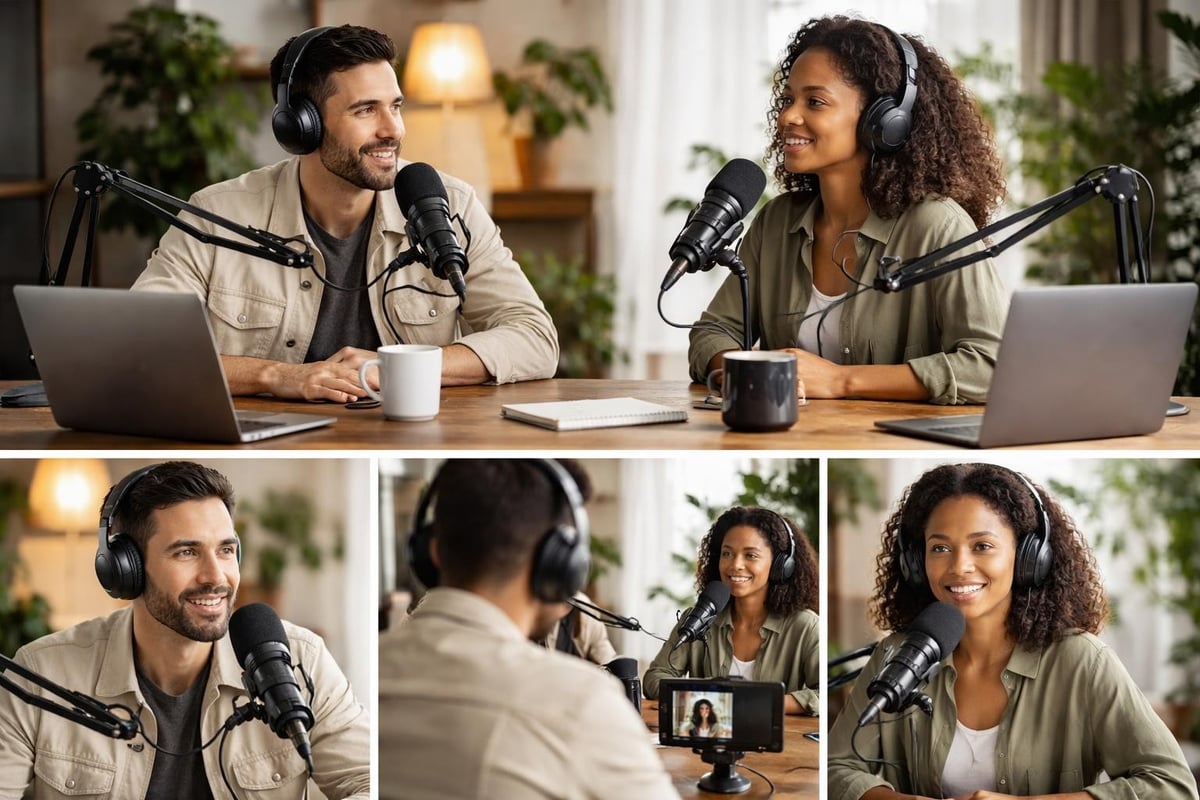
Headroom matters significantly. Leave 10-15% of frame space above the subject's head without creating excessive dead space. When recording multiple hosts or guests, maintain consistent framing across all cameras for seamless editing transitions.
Recording Software and Settings
Software selection depends on your production complexity. Single-camera setups work well with built-in camera recording, while multi-camera productions benefit from dedicated recording software.
| Software | Best Use Case | Key Features | Platform |
|---|---|---|---|
| OBS Studio | Multi-source recording | Free, scene switching, streaming integration | Windows, Mac, Linux |
| Ecamm Live | Mac users | Professional features, easy interface | Mac only |
| StreamYard | Remote recording | Browser-based, guest management | Web-based |
| Zoom | Interview format | Familiar interface, recording tracks | Windows, Mac |
Record in the highest quality your system supports. Storage is inexpensive compared to re-recording episodes due to quality limitations. Aim for 1080p minimum resolution at 30fps, with 4K becoming increasingly standard for future-proofing content.
The equipment needed to make a podcast extends beyond cameras and microphones to include reliable recording software that fits your workflow.
Editing Video Podcast Content
Post-production transforms raw footage into polished, engaging episodes. Professional editing elevates content quality and maintains viewer attention throughout longer episodes, especially important for long-form podcasts.
Editing Software Options
Your editing software choice depends on technical skill level, budget, and desired features. Industry-standard tools offer advanced capabilities, while simpler options prioritize ease of use.
Popular editing platforms:
- Adobe Premiere Pro - Industry standard with comprehensive features
- Final Cut Pro - Mac-exclusive professional editing
- DaVinci Resolve - Powerful free option with professional capabilities
- Descript - AI-powered text-based editing
When learning how to create video podcasting content effectively, many creators start with simpler tools before graduating to advanced platforms as their skills develop.
Essential Editing Techniques
Cutting out dead air, false starts, and long pauses keeps pacing tight. Jump cuts between camera angles add visual variety without disrupting conversation flow. Lower thirds introduce speakers and highlight key points, while B-roll footage illustrates discussed topics.
Color correction ensures consistent appearance across all cameras and episodes. Basic color grading creates visual cohesion and brand consistency. Audio mixing balances levels between speakers and removes background noise or echo.
Creating Social Media Clips
Short-form content drives discovery and audience growth. Extract compelling moments from full episodes to create podcast video clips for Instagram, TikTok, LinkedIn, and YouTube Shorts.
Effective podcast clips feature self-contained ideas, strong hooks in the first 3 seconds, and captions for sound-off viewing. Vertical formatting (9:16 aspect ratio) optimizes for mobile consumption where most social media viewing occurs.
Optimizing for YouTube and Platforms
Distribution strategy determines whether your podcast video reaches intended audiences. Each platform has unique requirements and audience behaviors that influence formatting and optimization decisions.
YouTube-Specific Optimization
YouTube functions as both a podcast platform and the world's second-largest search engine. Optimizing content for YouTube requires attention to metadata, thumbnails, and engagement signals.
YouTube optimization checklist:
- Compelling custom thumbnails with faces and text overlay
- Keyword-rich titles that accurately describe content
- Detailed descriptions with timestamps and relevant links
- Strategic tags combining broad and specific terms
- End screens promoting additional content
- Playlist organization by topic or series
Timestamps improve viewer experience and watch time by allowing direct navigation to specific segments. Include chapter markers in descriptions to enable YouTube's automatic chapters feature.
Spotify Video Integration
Spotify's video podcast features have expanded significantly, making the platform essential for video podcast distribution. Understanding what video podcasts are and how Spotify presents them helps optimize content for the platform.
Upload requirements differ from YouTube. Spotify accepts MP4 files up to 1GB, recommends 1920x1080 resolution, and processes video alongside audio RSS feeds. The platform displays video prominently in its interface, increasing engagement opportunities.
Multi-Platform Distribution Strategy
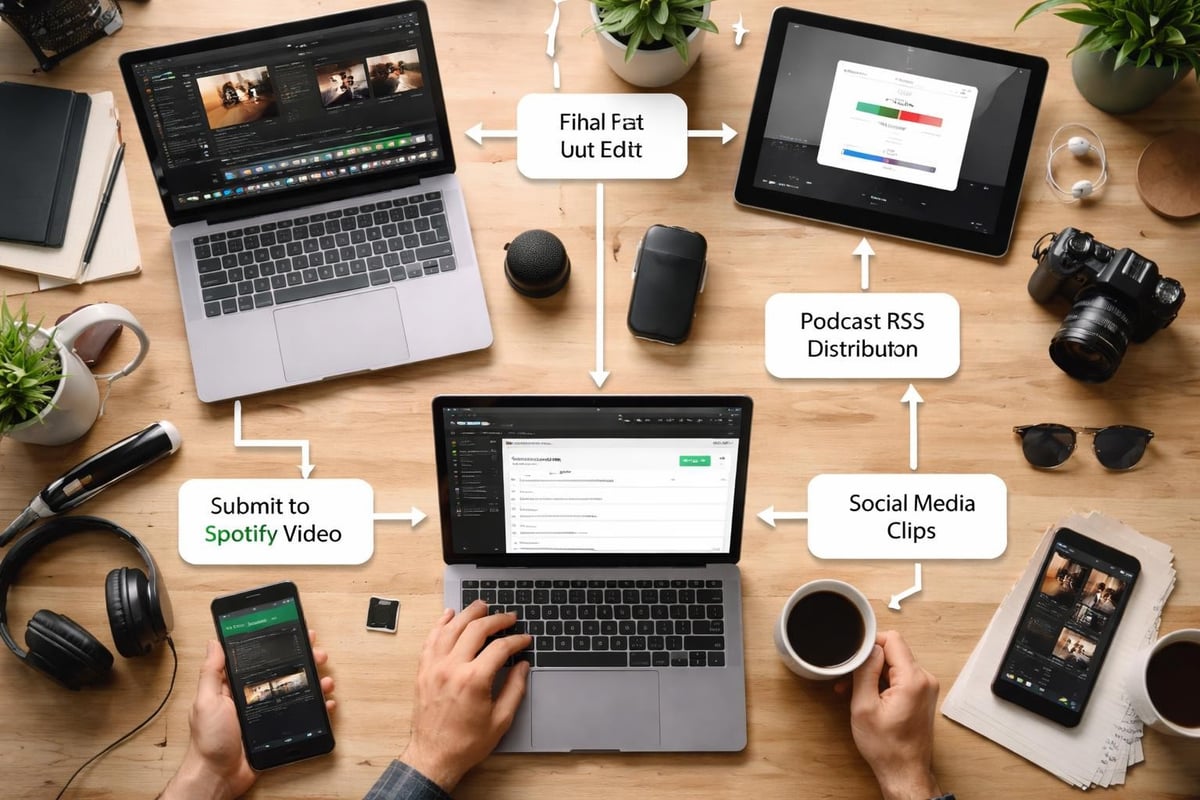
Successful podcasters repurpose single recordings across multiple platforms. The full video lives on YouTube, audio-only versions distribute through traditional podcast directories, and highlight clips populate social media feeds.
This approach maximizes content ROI while meeting audience preferences. Some listeners prefer audio during commutes, others watch full episodes at home, and many discover shows through short social clips.
Common Mistakes to Avoid
Even experienced creators encounter pitfalls when they first create podcast video content. Awareness of common mistakes accelerates learning and prevents costly errors.
Technical Quality Issues
Poor lighting creates unprofessional appearances that undermine content credibility. Inconsistent audio levels between speakers frustrate listeners and damage retention. Low video resolution limits future distribution options as platform standards evolve.
Understanding common mistakes to avoid when adding video helps new video podcasters bypass typical beginner challenges.
Content and Production Errors
Frequent mistakes include:
- Neglecting pre-production planning and episode structure
- Failing to test equipment before important recordings
- Ignoring the visual component by treating video as afterthought
- Recording in noisy or visually distracting environments
- Skipping post-production quality checks before publishing
When examining video podcast best practices, successful shows consistently prioritize preparation, technical excellence, and audience-focused content.
Distribution and Marketing Oversights
Creating excellent content means nothing without effective distribution. Many podcasters invest heavily in production while neglecting promotion, SEO optimization, and cross-platform presence.
Consistent publishing schedules build audience expectations and improve algorithmic performance. Engaging with comments, creating community, and collaborating with other creators amplifies reach beyond organic discovery.
Advanced Production Considerations
As your show matures, advanced techniques enhance production value and audience engagement. These refinements distinguish professional productions from amateur content.
Remote Guest Setup
Remote interviews present unique challenges for video quality. Guests rarely have professional equipment or optimized recording environments.
Provide guests with technical preparation guides covering internet connection, camera positioning, lighting, and audio setup. Recording separate local tracks prevents quality loss from video compression during calls. Multiple camera angles from screen recordings add editing flexibility.
Services like Riverside.fm, SquadCast, and Zencastr specialize in remote podcast recording with separate high-quality video and audio tracks for each participant.
B-Roll and Visual Enhancement
B-roll footage illustrates abstract concepts, provides visual variety, and maintains engagement during longer discussions. Screen recordings demonstrate software or websites, product shots showcase discussed items, and stock footage visualizes stories or examples.
Motion graphics, animated text, and charts explain complex information visually. These elements transform passive listening into active viewing, particularly valuable for educational or business content.
Workflow Automation and Efficiency
Streamlining production through templates, presets, and automation reduces per-episode production time. Video editing templates maintain brand consistency across episodes. Audio presets apply standard processing to recordings. Export presets ensure correct formatting for each distribution platform.
Professional podcast editing services handle these technical details, allowing creators to focus on content while experts manage production workflows.
Scaling Your Video Podcast Production
Growth requires systems that maintain quality while increasing output. Strategic scaling prevents burnout and quality degradation as episode frequency or length increases.
Building Production Systems
Document every step of your recording and editing workflow. Written procedures enable delegation, ensure consistency, and identify bottleneck steps that slow production.
System components include:
- Pre-production templates for research and planning
- Recording checklists preventing technical errors
- Editing guidelines maintaining visual and audio standards
- Publishing workflows coordinating multi-platform distribution
- Promotional schedules maximizing content visibility
When considering whether to start a podcast in 2026, understanding production system requirements helps set realistic expectations.
Outsourcing and Professional Services
Many successful podcasters outsource technical production to focus on content creation and audience building. Professional video podcast editing services transform raw recordings into polished episodes, handle platform uploads, and create promotional clips.
This approach proves particularly valuable for business podcasts where host time generates revenue that exceeds production costs. Delegating technical work allows subject matter experts to create more content rather than learning complex editing software.
Measuring Success and Iteration
Analytics guide improvement decisions based on actual audience behavior rather than assumptions. Track watch time, audience retention graphs, click-through rates, and subscriber growth across platforms.
Retention graphs reveal which segments maintain attention and where viewers drop off. High-performing episodes indicate topics and formats that resonate with your audience. Apply these insights to future content planning and production decisions.
Equipment Investment Strategy
Strategic equipment purchases balance quality improvements with budget constraints. Prioritize investments that directly impact viewer experience and scale appropriately with audience growth.
Budget-Tier Recommendations
Essential starter setup ($500-$1,000):
- Logitech Brio 4K webcam or similar quality camera
- Audio-Technica AT2020 or Samson Q2U microphone
- Basic USB audio interface
- Ring light or LED panel for face lighting
- Simple backdrop or clean wall
This configuration creates podcast video content suitable for all major platforms. Quality exceeds smartphone recording while remaining accessible to most budgets.
Mid-Tier Professional Setup
Investing $2,000-$4,000 enables significant quality improvements. DSLR or mirrorless cameras provide shallow depth of field and superior image quality. Multiple cameras add editing flexibility. Professional lighting kits create broadcast-quality illumination.
The video podcast equipment guide details specific product recommendations across various budget levels.
High-End Studio Configuration
Premium setups exceeding $5,000 include multiple professional cameras, teleprompters, advanced lighting systems, and soundproofing treatments. These investments make sense for established shows with revenue generation or corporate productions where quality directly impacts business objectives.
However, audience growth depends more on content quality and consistency than equipment specifications. Many successful shows built audiences with modest equipment before upgrading based on proven demand.
Content Strategy for Video Podcasts
Technical excellence means nothing without compelling content. Strategic planning ensures each episode delivers value that grows your audience and achieves business objectives.
Format Selection and Structure
Choose formats aligning with your expertise and audience needs. Interview shows bring external perspectives, solo episodes establish thought leadership, panel discussions create dynamic conversations, and narrative storytelling engages through structured arcs.
Consistent structure helps audiences know what to expect. Opening segments set context, main content delivers value, and closing sections provide calls to action. This predictability builds listening habits and improves retention.
Visual Storytelling Elements
Video enables storytelling techniques impossible in audio-only formats. On-screen text emphasizes key points, visual demonstrations show rather than tell, guest reactions add emotional dimension, and screen shares explain technical concepts.
When learning best practices for recording great-looking video podcasts, consider how visual elements enhance rather than distract from core content.
Repurposing Strategies
Maximum content ROI comes from strategic repurposing. Each recording generates multiple content pieces serving different platforms and audience preferences.
| Source Content | Repurposed Formats | Distribution Channels |
|---|---|---|
| Full video episode | Audio podcast, YouTube video | Podcast apps, YouTube |
| Episode highlights | Short vertical videos | Instagram, TikTok, LinkedIn |
| Key quotes | Audiograms, quote graphics | Twitter, Facebook, Pinterest |
| Transcripts | Blog posts, show notes | Website, SEO optimization |
Understanding ways to incorporate video with your podcast maximizes content utility across audience touchpoints.
Future-Proofing Your Production
Technology and platform preferences evolve constantly. Building flexibility into production workflows prevents obsolescence and enables adaptation to emerging opportunities.
Platform Diversification
Avoid dependence on single platforms. Distribute widely while maintaining owned channels like email lists and websites. Platform algorithm changes can devastate shows relying exclusively on one distribution method.
YouTube might dominate today, but diversified presence protects against policy changes, algorithm updates, or platform decline. Building audiences across multiple platforms creates resilience and optionality.
Emerging Technologies
AI-powered editing tools increasingly automate technical tasks like removing filler words, generating transcripts, and creating highlight clips. These technologies reduce production time while maintaining quality standards.
Virtual backgrounds and augmented reality elements may become standard features. Cloud-based production tools enable remote collaboration and reduce hardware requirements. Staying informed about technological developments positions you to adopt beneficial innovations early.
Sustainable Production Practices
Long-term success requires sustainable production practices preventing creator burnout. Batch recording multiple episodes creates buffer inventory. Documented systems enable team expansion. Strategic outsourcing removes bottlenecks limiting growth.
The comprehensive podcast strategy considers not just immediate production needs but long-term sustainability and growth trajectories.
Creating compelling podcast video content requires balancing technical excellence with strategic distribution and audience-focused content. By investing in appropriate equipment, developing efficient workflows, and understanding platform-specific optimization, you can create podcast video that engages modern audiences across all major channels. If managing the technical complexities of video podcast production feels overwhelming, Podcast Monkey handles everything from recording support through editing, optimization, and distribution, allowing you to focus on creating great content while we ensure it reaches and resonates with your target audience.
About Podcast Monkey
Podcast Monkey is a video-first podcast production agency that handles strategy, recording support, editing, YouTube optimization, and repurposed clips for B2B brands. We specialize in turning raw podcast recordings into polished episodes and social content ready for YouTube, podcast platforms, and social media.
To get help with your show, book a free personalized podcast strategy consultation here: https://calendly.com/d/crd7-h33-vmq/personalized-podcast-strategy-consultation