
Essential Video Podcast Equipment Guide for Creators 2026

Video podcasting is exploding in 2026, transforming how creators connect with audiences and driving new levels of creator success. As competition intensifies, having the right video podcast equipment is no longer optional for those aiming to stand out.
This guide delivers a comprehensive, up-to-date roadmap for creators at every level. Whether you are just starting or looking to upgrade, understanding which video podcast equipment matters most is the foundation for producing professional, captivating shows.
The right gear directly impacts your podcast’s quality, branding, and audience growth. In a crowded market, investing in video podcast equipment can mean the difference between blending in and building a loyal following.
Inside, you will find a step-by-step breakdown of essential gear, expert recommendations, practical setup tips, and advice for future-proofing your studio. Ready to elevate your show? Read on and discover the ultimate guide to video podcast equipment for 2026.
Understanding Video Podcasting in 2026
Evolution of Video Podcasting
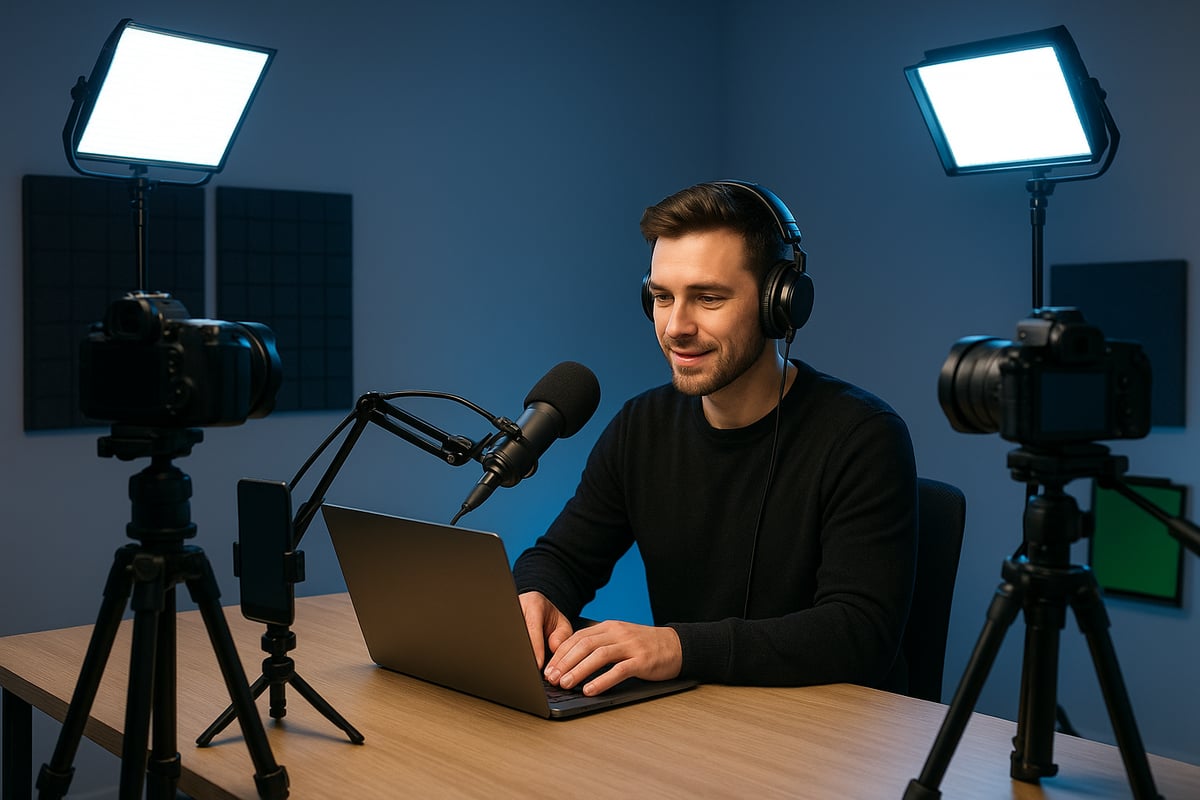
The landscape of podcasting has transformed dramatically, with video podcast equipment now at the heart of creator success. In 2026, the industry has moved from audio-only shows to a video-first model. Platforms such as YouTube, Spotify Video, and TikTok have redefined how audiences consume content. According to recent research, over 60% of podcast listeners now prefer shows that feature video elements, and this shift is driving explosive growth in the medium.
This surge in demand is opening new doors for creators. Video podcast equipment enables them to reach wider audiences, foster deeper engagement, and unlock more monetization options. For more on these changing habits, see the Rise of video podcast consumption.
Key Challenges for Creators
While the boom in video podcasting brings opportunity, it also introduces significant challenges. Creators must navigate the complexities of balancing audio and video quality, choosing the right video podcast equipment, and managing increasingly intricate workflows. Many face budget constraints, steep learning curves, or the pressure to keep up with rapid technological advancements.
The difference between amateur and professional productions is often stark. Pro-level video podcast equipment delivers consistent results, while inadequate setups may lead to technical issues and audience drop-offs. Overcoming these hurdles is essential for anyone aiming to stand out.
The Importance of the Right Equipment
Selecting the right video podcast equipment is foundational for creators striving for quality and audience retention. High-caliber gear impacts everything from brand image to production efficiency. For instance, poor audio or video quality can cause listeners to leave within minutes, whereas polished setups build loyalty and trust.
Investing wisely in video podcast equipment also saves time during editing and post-production, allowing creators to focus on content rather than troubleshooting technical problems. A thoughtfully chosen setup supports long-term growth and a distinctive on-screen presence.
Trends Shaping Equipment Choices in 2026
As technology evolves, several trends are influencing how creators choose video podcast equipment. AI-driven gear is streamlining production, offering features like automatic camera switching and real-time audio cleanup. All-in-one solutions and remote collaboration tools make professional results more accessible.
Sustainability and compactness are also top priorities, with creators favoring eco-friendly, space-saving options. The popularity of mobile and hybrid podcasting setups is rising, as flexibility becomes a competitive advantage. Staying ahead of these trends ensures creators remain adaptable in a fast-moving industry.
About Podcast Monkey Podcast Monkey is a video-first podcast production agency that handles strategy, recording support, editing, YouTube optimization, and repurposed clips for B2B brands. We specialize in turning raw podcast recordings into polished episodes and social content ready for YouTube, podcast platforms, and social media.
To get help with your show, book a free personalized podcast strategy consultation here: https://calendly.com/d/crd7-h33-vmq/personalized-podcast-strategy-consultation
Core Video Podcast Equipment: What Every Creator Needs
Choosing the right video podcast equipment is the foundation of a polished, professional podcast. The right gear not only elevates production quality but also keeps your workflow efficient and your audience engaged. Whether you are just starting out or upgrading your studio, understanding the essentials will help you make smart investments for long-term success.
Cameras: Capturing Crisp, Professional Video
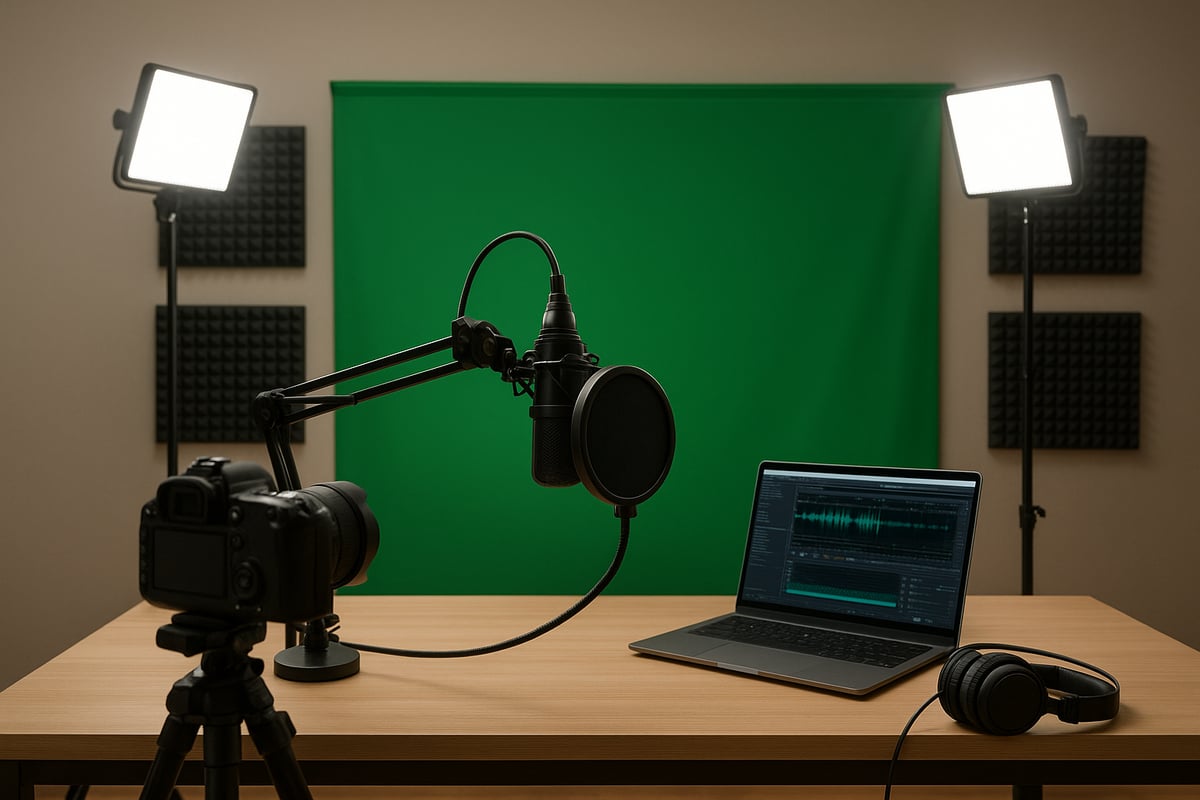
When it comes to video podcast equipment, your camera choice sets the tone for your entire show. Today, 4K resolution is the standard for sharp, detailed visuals. DSLRs and mirrorless cameras, like the Sony Alpha series and Nikon Z50, are favored for their excellent autofocus, low-light performance, and versatile connectivity.
However, not every creator needs a high-end rig. Webcams and smartphones now offer impressive quality, especially for beginners or those on a budget. Here is a quick comparison:
| Camera Type | Pros | Cons |
|---|---|---|
| DSLR | Superior image, lens options | Bulky, pricier |
| Mirrorless | Compact, fast autofocus | Battery life |
| Webcam | Plug-and-play, affordable | Limited depth, less control |
| Smartphone | Convenient, portable | Limited manual settings |
Regardless of your choice, ensure your video podcast equipment supports clean HDMI output, reliable autofocus, and good performance in varied lighting.
Microphones: Ensuring Studio-Quality Audio
Great audio is non-negotiable for any video podcast equipment setup. Even the best visuals cannot compensate for muffled or noisy sound. Dynamic and condenser microphones each have unique strengths. Dynamic mics, such as the Audio-Technica ATR2100 and Samson Q2U, are robust and reject background noise, while condenser mics capture more detail but require a quieter space.
USB microphones are user-friendly and ideal for solo creators. XLR mics deliver higher fidelity and are preferred for advanced setups. No matter your choice, always pair your microphone with a pop filter and shock mount to prevent plosives and vibrations.
For a deeper dive into gear options, check out the Podcast Equipment List for Creators.
Headphones: Real-Time Audio Monitoring
Headphones are often overlooked in video podcast equipment discussions, but they are vital for catching audio issues as they happen. Closed-back, over-ear headphones like the Audio-Technica ATH-M30x provide excellent isolation, helping you focus on your voice and detect unwanted noise.
Wireless models offer flexibility, but wired headphones are still preferred for zero latency and reliability. Monitoring your sound live prevents surprises in post-production and ensures your audience gets a clear, professional experience.
Lighting: Making Your Video Shine
Proper lighting transforms video podcast equipment from basic to pro. Softboxes, LED panels, and ring lights all contribute to creating flattering, well-lit visuals. Three-point lighting—key, fill, and backlight—is the gold standard, adding depth and dimension to your shot.
Entry-level lighting kits are now highly affordable, making it easy for creators at any stage to achieve a polished look. Ring lights remain especially popular for solo podcasters due to their simplicity and soft, even illumination.
Tripods, Mounts, and Stabilization
Stable video is a must for any video podcast equipment setup. Tripods keep your camera steady, while boom arms and mounts help position microphones and lights precisely. The Amazon Basics tripod is a reliable, budget-friendly option for most studios.
In tight recording spaces, flexible arms are invaluable for adjusting gear without clutter. Proper stabilization not only maintains video quality but also enhances the overall professionalism of your podcast.
Backdrops and Green Screens
A clean, distraction-free background is essential for quality video podcast equipment usage. Physical backdrops, green screens, and digital sets all offer ways to control your visual environment. Green screens are especially popular for branding, allowing you to insert virtual studios or custom graphics.
DIY options like fabric, curtains, or even painted walls can be effective and affordable. The goal is to keep the focus on your content, reducing any visual noise that might pull attention away from your message.
Acoustic Treatment: Controlling Your Sound Environment
Room acoustics play a huge role in the performance of your video podcast equipment. Simple acoustic panels, foam tiles, and even household items like blankets or rugs help absorb echo and reduce noise. This is crucial whether you are recording at home or in a professional studio.
Effective acoustic treatment not only improves clarity but also minimizes editing headaches later. Even modest efforts in this area can have a dramatic impact, making your podcast sound more polished and inviting for listeners.
About Podcast Monkey Podcast Monkey is a video-first podcast production agency that handles strategy, recording support, editing, YouTube optimization, and repurposed clips for B2B brands. We specialize in turning raw podcast recordings into polished episodes and social content ready for YouTube, podcast platforms, and social media.
To get help with your show, book a free personalized podcast strategy consultation here: https://calendly.com/d/crd7-h33-vmq/personalized-podcast-strategy-consultation
Advanced Gear and Software for Pro-Level Video Podcasts
Stepping up your video podcast equipment is the gateway to delivering a truly professional show. As podcasting standards rise in 2026, advanced gear and smart software choices help creators unlock new levels of quality, efficiency, and creative control. Let us explore the essential upgrades that transform a basic setup into a production powerhouse.
Audio Interfaces and Mixers
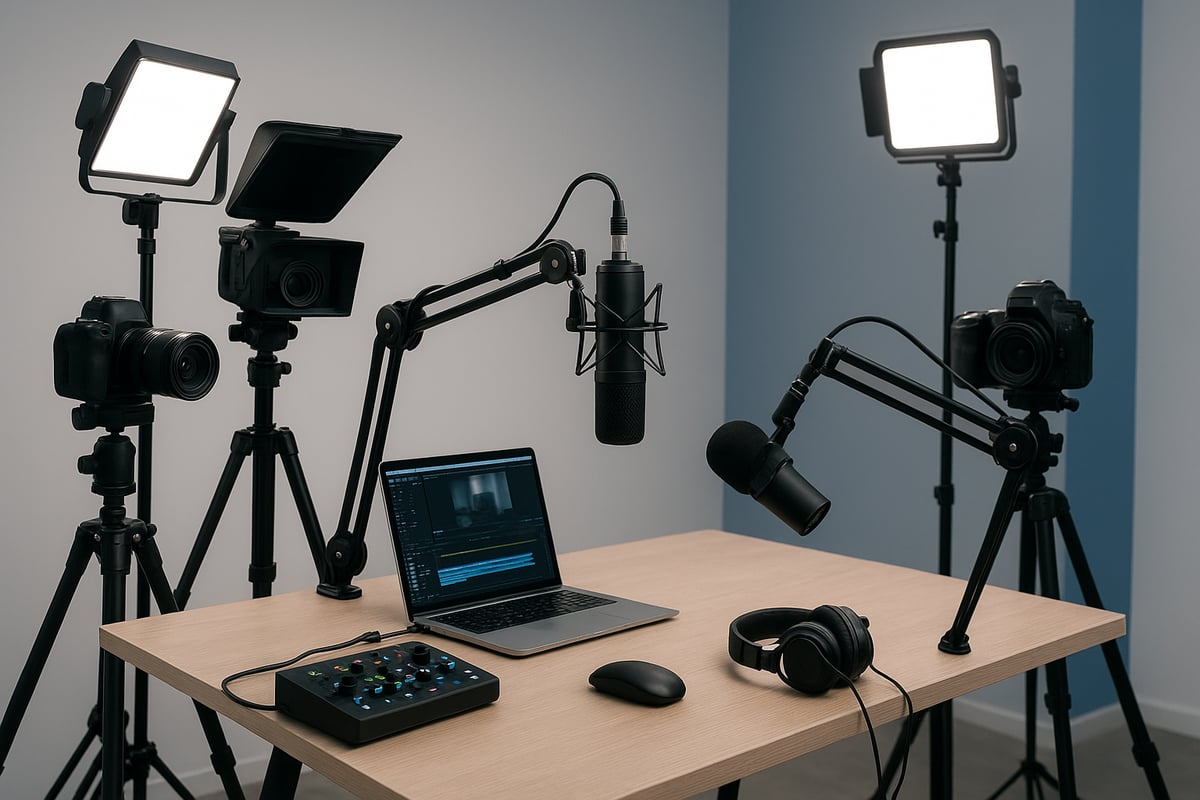
Audio interfaces are the heart of any advanced video podcast equipment setup. They connect XLR microphones to computers, converting analog sound into crisp digital audio. Popular models like the Focusrite Scarlett and Rodecaster Pro offer pristine audio quality and intuitive controls.
Mixers become essential when working with multiple hosts or recording live shows. They allow fine-tuning of each microphone's level, EQ, and effects. When choosing between USB and Thunderbolt connections, consider your computer's compatibility and desired audio performance. Investing in a reliable interface ensures broadcast-level sound, which is crucial for audience retention.
Multi-Camera and Switching Solutions
Adding more cameras to your video podcast equipment instantly boosts engagement. Multi-angle setups capture reactions, panel discussions, and dynamic visuals. Hardware switchers like the ATEM Mini make live camera switching seamless, while software options such as OBS Studio are ideal for post-production workflows.
To keep editing efficient, synchronize all cameras before recording. Two-camera setups are popular for interviews, offering both wide and close-up shots. This versatility not only elevates production value but also keeps viewers visually engaged throughout each episode.
Recording and Editing Software
Choosing the right software is a cornerstone of your video podcast equipment strategy. Top tools include Audacity, Adobe Audition, Riverside.fm, Descript, and Hindenburg. Cloud-based platforms streamline collaboration, while desktop solutions offer advanced editing features.
AI-powered editing and transcription save hours in post-production, making complex workflows accessible to all creators. For practical advice on optimizing your editing process, check out these Video Podcast Editing Tips. Beginners can start with basic tools, while pros benefit from customizable presets and multi-track capabilities.
Storage, Memory Cards, and Backup Solutions
High-resolution video demands robust storage in any video podcast equipment collection. 4K cameras require high-capacity SD cards and fast SSD drives to prevent bottlenecks. For every hour of 4K footage, plan for 20 GB or more of data.
A sound backup workflow is vital. Use cloud storage or RAID drives to protect your archive from accidental loss. Keep your files organized with clear naming conventions and folder structures. Efficient storage management ensures your podcast remains safe and accessible for future repurposing.
Monitoring and Teleprompter Tools
External monitors are invaluable in a professional video podcast equipment setup. They help you confirm framing, focus, and exposure in real-time. Teleprompters enable smooth delivery of scripts and interview questions, reducing on-camera nervousness.
Affordable smartphone teleprompters are now widely available, making scripted content accessible to solo creators and teams. For the best results, practice reading naturally and position the teleprompter close to the camera lens. This approach keeps your delivery engaging and maintains direct eye contact with your audience.
Accessories: Cables, Adapters, and Power Management
Never overlook the importance of accessories in your video podcast equipment arsenal. Essential items include XLR and USB cables, adapters for various devices, surge protectors, and backup battery packs.
Good cable management not only prevents accidents but also keeps your space neat and professional. Use cable sleeves and Velcro ties to bundle cords out of sight. Power redundancy, such as uninterruptible power supplies, ensures that unexpected outages will not disrupt your recording sessions.
Future-Proofing Your Setup
When selecting video podcast equipment, think beyond immediate needs. Opt for modular and upgradable gear that adapts as technology evolves. For example, 4K and 8K-ready cameras and scalable audio interfaces prepare your studio for future demands.
Sustainability is another key trend. Choose rechargeable batteries and eco-friendly materials where possible. Ensure your gear is compatible with emerging platforms and AI-driven tools. Strategic investments now will save you time, money, and hassle as your podcast grows.
About Podcast Monkey Podcast Monkey is a video-first podcast production agency that handles strategy, recording support, editing, YouTube optimization, and repurposed clips for B2B brands. We specialize in turning raw podcast recordings into polished episodes and social content ready for YouTube, podcast platforms, and social media.
To get help with your show, book a free personalized podcast strategy consultation here: https://calendly.com/d/crd7-h33-vmq/personalized-podcast-strategy-consultation
Setting Up Your Video Podcast Studio: Step-by-Step
Creating a professional studio is the foundation for success with video podcast equipment. A well-organized setup reduces friction, streamlines workflow, and boosts production quality. Whether you are a beginner or upgrading your space, this step-by-step process ensures your environment supports your creative goals.
Step 1: Choosing the Right Recording Space
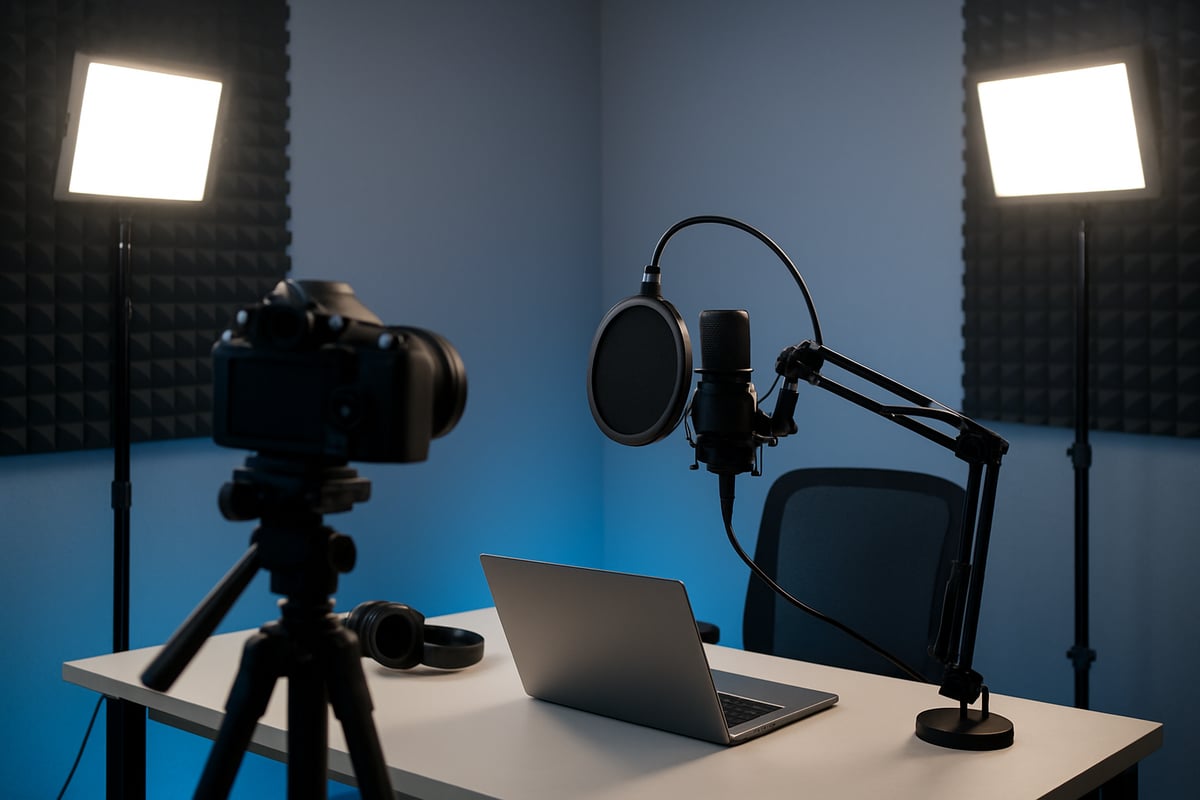
Selecting your recording space is the first decision in assembling your video podcast equipment. Look for a room with minimal outside noise, controllable lighting, and enough space for your gear. Spare bedrooms, home offices, and rented studios are popular choices.
Prioritize locations with carpet or soft furnishings to absorb sound. Evaluate the room’s potential for camera angles and lighting setups. If you need a detailed walkthrough, the Setting Up a Podcast Studio guide offers practical tips on optimizing your environment for video podcast equipment.
Keep the space free of distractions and clutter to maintain a professional look on camera.
Step 2: Optimizing Acoustics and Soundproofing
Great audio starts with the right space, not just video podcast equipment. Place acoustic panels, rugs, and curtains to dampen echoes and reverb. Bookshelves and soft furniture also help diffuse sound.
Simple DIY hacks, such as hanging blankets or using pillows in corners, can make a noticeable difference. According to Castos, these basic treatments can reduce echo by up to 30 percent. Avoid empty rooms and hard surfaces, as they will reflect sound and decrease audio clarity.
Test your setup by recording a short clip and listening for background noise or unwanted reflections.
Step 3: Lighting Setup for Flattering Results
Proper lighting elevates your video podcast equipment and ensures you look professional on camera. Combine natural and artificial light for best results. Place your key light at a 45-degree angle, use a fill light to soften shadows, and add a backlight for depth.
Ring lights are effective for solo creators, providing soft, even illumination. Avoid mixing different color temperatures, which can create unflattering effects. Entry-level lighting kits are affordable and make a significant impact on the final video.
Experiment with placement to find the most flattering angles for your face and set.
Step 4: Camera Placement and Framing
Camera positioning is crucial for making the most of your video podcast equipment. Place the camera at eye level for natural engagement with your audience. Use the rule of thirds to frame yourself, leaving space above your head and balancing the shot.
For interviews or multi-host shows, consider using multiple cameras for dynamic perspectives. Remove clutter from your background and check for distractions before recording. Always verify focus and exposure with a test shot.
A good framing setup helps maintain a polished, professional appearance in every episode.
Step 5: Audio Setup and Monitoring
Audio quality is often the deciding factor for podcast success, so optimize your video podcast equipment for clear sound. Position microphones 6 to 12 inches from your mouth, slightly off-axis, to reduce plosives and breath noise.
Use pop filters and shock mounts to minimize unwanted sounds. Monitor your audio in real time with closed-back headphones to catch issues as they occur. Record short samples to check levels and clarity before starting your session.
Consistent monitoring prevents small problems from becoming big distractions for your listeners.
Step 6: Connecting, Testing, and Workflow Optimization
Once your video podcast equipment is in place, connect all devices securely and manage cables to prevent tangling. Create a pre-recording checklist: check power sources, memory cards, and backup systems.
Run test recordings to ensure audio and video are in sync. Label cables and use templates or presets to streamline your workflow. Efficient organization reduces errors and saves time during editing.
Optimizing your setup now allows you to focus on content creation and audience engagement.
About Podcast Monkey Podcast Monkey is a video-first podcast production agency that handles strategy, recording support, editing, YouTube optimization, and repurposed clips for B2B brands. We specialize in turning raw podcast recordings into polished episodes and social content ready for YouTube, podcast platforms, and social media.
To get help with your show, book a free personalized podcast strategy consultation here: https://calendly.com/d/crd7-h33-vmq/personalized-podcast-strategy-consultation
Essential Accessories and Upgrades for 2026
Enhancing your video podcast equipment setup with the right accessories and timely upgrades ensures your production remains both efficient and professional. In 2026, creators have more options than ever to customize, protect, and scale their studios for evolving needs.
Must-Have Accessories for Every Creator
To get the most out of your video podcast equipment, start with essential accessories that improve sound quality and workflow. Key items include:
- Pop filters to reduce plosives and deliver crisp audio.
- Windshields for outdoor or mobile recording.
- Shock mounts that minimize vibrations and desk noise.
- Boom arms and adjustable stands for flexible mic placement.
- Screen cleaners and lens wipes to keep your visuals sharp.
Pop filters are a budget-friendly upgrade, often available for under $20, and make a noticeable difference in audio clarity. For a deeper dive into entry-level gear options, explore the Best Podcast Equipment for Beginners. These accessories are foundational for every creator, whether you are just starting or refining your existing setup.
Upgrades for Growing Podcasts
As your show grows, upgrading your video podcast equipment can unlock new creative possibilities and boost production value. Consider these common upgrades:
- Adding a second camera for dynamic, multi-angle shots.
- Investing in advanced lighting, such as RGB or programmable LED panels.
- Using in-ear monitors for precise audio checks during live shows.
- Upgrading from USB to XLR microphones for richer, more professional sound.
Transitioning to higher quality gear is a natural progression as your audience and ambitions expand. For example, shifting from a USB mic to an XLR setup offers better control over audio fidelity and supports multi-host formats.
Mobile and On-the-Go Podcasting Gear
Many creators now record outside traditional studios, making portable video podcast equipment more important than ever. Essential mobile tools include:
- Smartphone rigs for stable, flexible filming.
- Portable LED lights to ensure consistent lighting in any environment.
- Wireless microphones for untethered, clear audio capture.
- Compact tripods and foldable backdrops for easy transport.
All-in-one podcasting kits are popular for travel, offering convenience without sacrificing quality. Maintain professional standards on the go by regularly checking battery levels, packing backup memory cards, and using weatherproof cases for your gear.
Organizing and Protecting Your Equipment
Proper organization and protection extend the life of your video podcast equipment and safeguard your investment. Recommended solutions are:
- Storage cases and racks for safe, accessible gear storage.
- Cable organizers to prevent tangling and improve setup speed.
- Environmental protection like humidity control and dust covers.
- Hard cases for transporting valuable equipment.
- Insurance and inventory management systems for professionals.
Taking the time to label and track your accessories prevents loss, while sturdy cases protect against damage during travel or shipping. Prioritizing organization also streamlines your workflow, ensuring every recording session runs smoothly.
About Podcast Monkey Podcast Monkey is a video-first podcast production agency that handles strategy, recording support, editing, YouTube optimization, and repurposed clips for B2B brands. We specialize in turning raw podcast recordings into polished episodes and social content ready for YouTube, podcast platforms, and social media.
To get help with your show, book a free personalized podcast strategy consultation here: https://calendly.com/d/crd7-h33-vmq/personalized-podcast-strategy-consultation
Expert Tips, Budget Recommendations & Common Mistakes
Staying current and making smart choices about your video podcast equipment can make or break your show's success. The right combination of tools, habits, and ongoing learning will keep your production sharp, professional, and ready to grow.
Pro Tips for Maximizing Equipment Performance
Getting the most from your video podcast equipment starts with regular maintenance. Clean camera lenses and microphone grills to avoid quality loss. Update firmware on your devices to access new features and bug fixes.
Customize presets for your audio and video settings to maintain a consistent look and sound across episodes. Label cables and ports, so setup is fast and troubleshooting is simple.
Back up your files immediately after each recording session. Use a checklist before hitting record to ensure all your video podcast equipment is powered, connected, and working correctly.
Budget-Friendly Setup Recommendations
If your budget is limited, focus on audio quality first, as listeners are less forgiving of poor sound than video flaws. A simple video podcast equipment kit could include a quality USB microphone, basic closed-back headphones, and your smartphone camera.
Consider these budget combos:
| Budget | Microphone | Camera | Headphones |
|---|---|---|---|
| $150 | Samson Q2U | Smartphone | Earbuds |
| $400 | ATR2100x-USB | Logitech C920 | ATH-M30x |
Pop filters and affordable lighting like ring lights can dramatically improve results for little extra cost. Save on accessories by starting with DIY or entry-level options, then upgrade as your podcast grows.
Common Equipment Mistakes to Avoid
Many creators over-invest in advanced video podcast equipment before mastering the basics. High-end gear cannot compensate for poor lighting, bad acoustics, or improper setup.
Common mistakes include:
- Ignoring acoustic treatment, leading to echo and noise
- Relying on built-in laptop or phone microphones
- Skipping test recordings, which risks unnoticed technical issues
- Neglecting backups, risking data loss
Prioritize learning how to use the video podcast equipment you have, and address your studio environment before adding more gear. Test everything before going live or recording an episode.
Staying Ahead: Keeping Up with Tech and Trends
The world of video podcast equipment evolves rapidly. Stay informed by following industry news, joining creator forums, and attending webinars. Monitoring new gear releases helps you plan upgrades that keep your show competitive.
Participate in online communities to share experiences and get advice. For the latest insights on video podcasting trends and audience engagement, review the State of video podcasting report.
Plan for future upgrades by choosing modular gear and keeping an eye on sustainable, AI-powered solutions. Regularly review your setup so you can adapt as the industry changes.
About Podcast Monkey Podcast Monkey is a video-first podcast production agency that handles strategy, recording support, editing, YouTube optimization, and repurposed clips for B2B brands. We specialize in turning raw podcast recordings into polished episodes and social content ready for YouTube, podcast platforms, and social media.
To get help with your show, book a free personalized podcast strategy consultation here: https://calendly.com/d/crd7-h33-vmq/personalized-podcast-strategy-consultation
About Podcast Monkey
Podcast Monkey is a video-first podcast production agency dedicated to helping creators get the most from their video podcast equipment. Our team manages every step of your podcast journey, from initial strategy and recording support to expert editing, YouTube optimization, and crafting repurposed clips tailored for B2B brands. We excel at transforming raw video podcast equipment sessions into polished episodes and compelling social content, ensuring your show stands out on YouTube, podcast platforms, and across social media.
To get help with your show, book a free personalized podcast strategy consultation here: https://calendly.com/d/crd7-h33-vmq/personalized-podcast-strategy-consultation
Now that you have a clear roadmap for building your video podcast setup, you might still have questions about tailoring the right gear to your unique needs or optimizing your workflow for maximum impact. That's where expert guidance can make all the difference. At Podcast Monkey, we help creators like you transform ideas and recordings into standout, professional content that captivates audiences across platforms. If you're ready to take the next step or want personalized advice on your podcast journey, I invite you to Book A Free Consultation and let's set your show up for lasting success.