Setting Up a Podcast Studio Guide for 2026 Creators

Podcasting has skyrocketed in popularity, transforming from a niche hobby to a mainstream platform for creators, brands, and communities in 2026. As demand grows, more people are interested in setting up a podcast studio that delivers professional results and flexibility. This expert-backed guide provides a clear, step-by-step approach to building a studio tailored to your needs, covering planning, essential equipment, space design, software, workflow, and future-proofing strategies. Ready to elevate your podcast? Follow this guide to launch your dream studio and stand out in the fast-evolving world of podcasting.
Planning Your Podcast Studio in 2026
Defining Your Podcasting Goals and Format
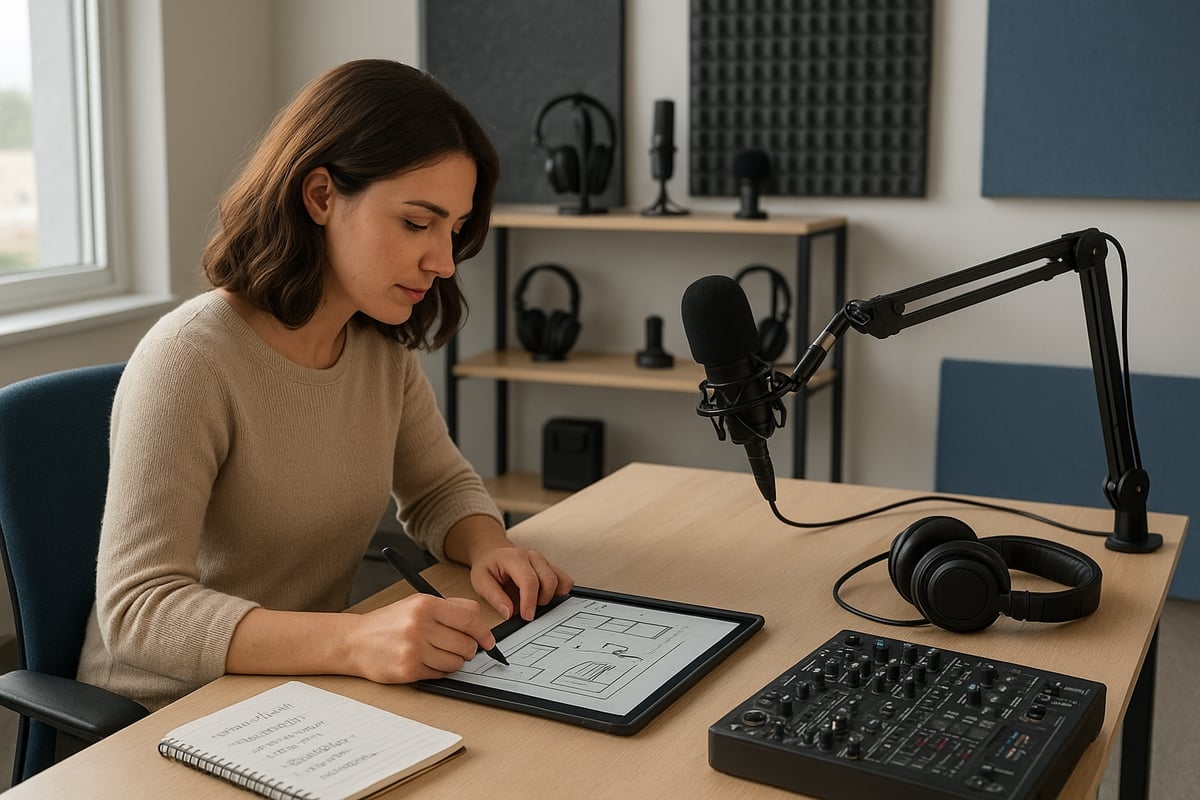
Before setting up a podcast studio, clarify your podcast’s core purpose. Are you launching for personal enjoyment, brand building, business growth, or community engagement? Next, choose your format: solo, co-hosted, or multi-guest. Will your show be audio-only, or do you plan to add video podcasting or live streaming down the line?
Consider your vision for future growth. Do you want to include remote guests, interactive panels, or live audience participation? Establishing your goals now ensures your studio setup supports expansion without major overhauls later. Set a realistic budget, whether you want an entry-level, mid-range, or professional studio. Many successful podcasters begin with simple setups and upgrade as their needs evolve. For deeper insights on the 2026 podcasting landscape, explore Should you start a podcast in 2026.
Choosing the Right Space: Home, Office, or Coworking Studio
Selecting the ideal location is foundational to setting up a podcast studio. Assess available spaces such as spare rooms at home, private offices, or coworking studios. Each has unique pros and cons. Home studios offer privacy and low costs, offices provide structure, while coworking spaces offer professional amenities but may require booking.
Prioritize a dedicated, distraction-free environment. Look for interior rooms with thick walls and minimal windows to reduce noise. Sound isolation is crucial for audio quality. Many coworking spaces now convert unused offices into podcast studios, increasing revenue and providing flexible options. If you plan to scale up for multiple hosts or guests, ensure your space can accommodate growth.
Acoustic Treatment and Soundproofing Basics
Quality audio starts with the room, not just the gear. When setting up a podcast studio, address acoustics early. Use foam panels, bass traps, carpets, or curtains to minimize echo, reverb, and outside noise. Even low-cost solutions like rugs and heavy curtains can make a noticeable difference.
Compare your options:
| Treatment Type | Budget-Friendly | Premium |
|---|---|---|
| Rugs, Curtains | ✔️ | |
| Foam Panels | ✔️ | ✔️ |
| Bass Traps | ✔️ |
Sound treatment is often more impactful than a new microphone. In fact, 60% of listeners cite audio quality as essential for podcast enjoyment. Invest in acoustic solutions that match your budget and space constraints.
Budgeting for Your Studio Setup
Setting up a podcast studio requires thoughtful budgeting. Factor in costs for essential equipment, furniture, acoustic treatment, and software. Prioritize must-haves like microphones and interfaces before investing in “nice to have” upgrades such as advanced lighting or premium sound panels.
Sample budgets:
- Starter: $500 – basic mic, interface, headphones, simple treatment
- Mid-range: $1,500 – better mics, interface, stands, monitors, more treatment
- Pro: $5,000+ – multiple mics, pro mixer, video gear, advanced soundproofing
Plan for future expansion but avoid overspending before you establish a consistent publishing routine. Ongoing costs like software subscriptions and maintenance should also be included in your planning.
Legal and Accessibility Considerations
Legal and accessibility planning is essential when setting up a podcast studio. Ensure your space is accessible to all, with ramps, adjustable desks, and clear pathways. For public or coworking studios, ADA compliance is a must. Address copyright and licensing for music, sound effects, and branded visuals early to avoid issues.
Always secure privacy and consent from guests before recording, especially for video or live content. Inclusive studios not only broaden your guest pool but also see higher usage and community engagement. Studios that prioritize accessibility, such as adding ramps and captioning, report 20% higher usage rates.
About Podcast Monkey Podcast Monkey is a video-first podcast production agency that handles strategy, recording support, editing, YouTube optimization, and repurposed clips for B2B brands. We specialize in turning raw podcast recordings into polished episodes and social content ready for YouTube, podcast platforms, and social media.
To get help with your show, book a free personalized podcast strategy consultation here: https://calendly.com/d/crd7-h33-vmq/personalized-podcast-strategy-consultation
Essential Podcast Studio Equipment for 2026
The right gear is the foundation for setting up a podcast studio that delivers professional sound and video. As podcasting evolves in 2026, creators need equipment that balances quality, flexibility, and future-proofing. This section breaks down the essentials you need to launch a modern, high-impact studio setup.
Microphones: Types, Recommendations, and Placement
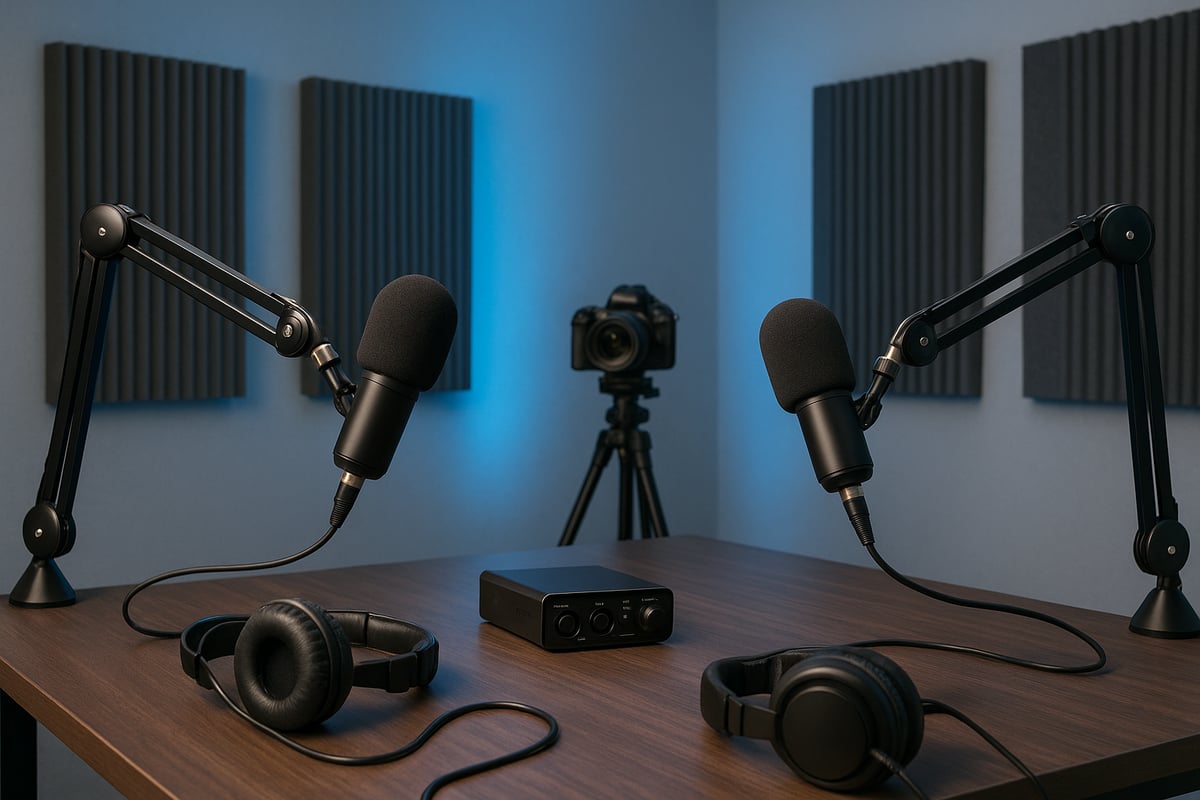
Selecting the right microphone is the first step in setting up a podcast studio. Dynamic microphones excel at rejecting background noise, making them ideal for untreated rooms. Condenser microphones capture more detail and are suited for acoustically treated spaces.
You will face a choice between USB and XLR connectivity. USB mics provide plug-and-play simplicity, while XLR mics offer greater flexibility and audio quality. Popular choices in 2026 include the Shure SM7B, Audio-Technica ATR2100, and Rode Procaster. For beginners, budget models like the Samson Q2U are reliable. Professionals often prefer the Shure SM7B for its warm tone.
Proper mic placement is crucial. Use a boom arm or tabletop stand to position the mic 6 inches from your mouth, and always use a pop filter to reduce plosives. For a comprehensive review of the latest gear, check the Best Podcast Equipment for 2026 guide to support your decision-making when setting up a podcast studio.
Audio Interfaces, Mixers, and Recording Devices
Audio interfaces and mixers are vital for setting up a podcast studio with flexible input and output options. If you record solo or with remote guests, a USB audio interface like the Focusrite Scarlett is compact and reliable. For multi-host or panel shows, mixers such as the Rodecaster Pro or Mackie ProFX series provide multi-track recording and real-time audio control.
Look for features like phantom power for condenser mics, gain knobs for level control, and multiple headphone outputs. Recording devices with SD card slots offer backup options and portability. Setting up a podcast studio with these tools ensures clean, editable audio tracks for every participant.
Headphones and Monitoring Solutions
Every successful host knows that headphones are essential when setting up a podcast studio. Closed-back headphones like the Audio-Technica M50x, Shure SRH440, or Sennheiser HD280 provide isolation and accurate monitoring.
Comfort is key, especially during long recording sessions. For multi-host setups, headphone amplifiers or splitters allow everyone to monitor the session without audio bleed. This prevents unwanted feedback and ensures each voice is clearly captured. Investing in quality monitoring solutions minimizes issues during both recording and editing.
Cameras and Video Equipment for Modern Podcasting
Video podcasting is now a standard part of setting up a podcast studio. Start with a high-quality webcam like the Logitech C920 or upgrade to a mirrorless camera such as the Sony a6400 for sharper visuals. Pair your camera with a sturdy tripod and consider using a ring light or softbox to create flattering, consistent lighting.
Backgrounds matter, too. Use branded banners, green screens, or neutral backdrops to reinforce your show’s identity. Effective video equipment enables you to reach audiences on YouTube and social platforms, making your podcast more discoverable and engaging.
Studio Accessories: Stands, Pop Filters, and More
Accessories are often underestimated in setting up a podcast studio but make a significant difference. Boom arms or adjustable stands keep microphones stable and accessible. Pop filters and shock mounts reduce unwanted noise from plosives and vibrations.
Organize your cables with clips or sleeves to keep your workspace tidy and safe. Sound treatment accessories, such as foam panels, bass traps, and area rugs, further improve audio quality by minimizing echo and external noise. These small upgrades contribute to a polished, professional studio environment.
Computers and Storage Solutions
A reliable computer is the backbone of setting up a podcast studio in 2026. Look for a machine with at least 16GB of RAM, a fast multi-core processor, and a dedicated graphics card if you plan to edit video. SSDs ensure quick access to files, while external drives and cloud storage keep projects organized and secure.
Cross-platform compatibility with Mac, PC, or even tablets gives you flexibility as your workflow evolves. Regularly back up your sessions to avoid data loss. Many podcasters use cloud storage for collaboration and remote editing, ensuring files are accessible from anywhere.
Podcast Recording and Editing Software
Software is the final pillar in setting up a podcast studio. Digital Audio Workstations (DAWs) like Audacity, Adobe Audition, GarageBand, and Pro Tools are popular for audio editing. For remote recording, tools such as Zoom, Riverside.fm, or SquadCast offer reliable, high-quality connections.
If you produce video podcasts, programs like Final Cut Pro, Premiere Pro, or DaVinci Resolve streamline video editing and color correction. AI-powered editing tools in 2026 automate tasks like noise reduction and leveling, saving creators time. Choose software that matches your experience level and integrates seamlessly into your workflow.
About Podcast Monkey
Podcast Monkey is a video-first podcast production agency that handles strategy, recording support, editing, YouTube optimization, and repurposed clips for B2B brands. We specialize in turning raw podcast recordings into polished episodes and social content ready for YouTube, podcast platforms, and social media.
To get help with your show, book a free personalized podcast strategy consultation here: https://calendly.com/d/crd7-h33-vmq/personalized-podcast-strategy-consultation
Designing and Optimizing Your Podcast Studio Space
Designing and optimizing your podcast studio space is an essential part of setting up a podcast studio that delivers professional results. A thoughtfully arranged studio not only boosts productivity but also improves the quality of your recordings. Let us explore how to create a studio environment that is ergonomic, visually appealing, acoustically treated, scalable, and inclusive.
Ergonomics and Studio Layout
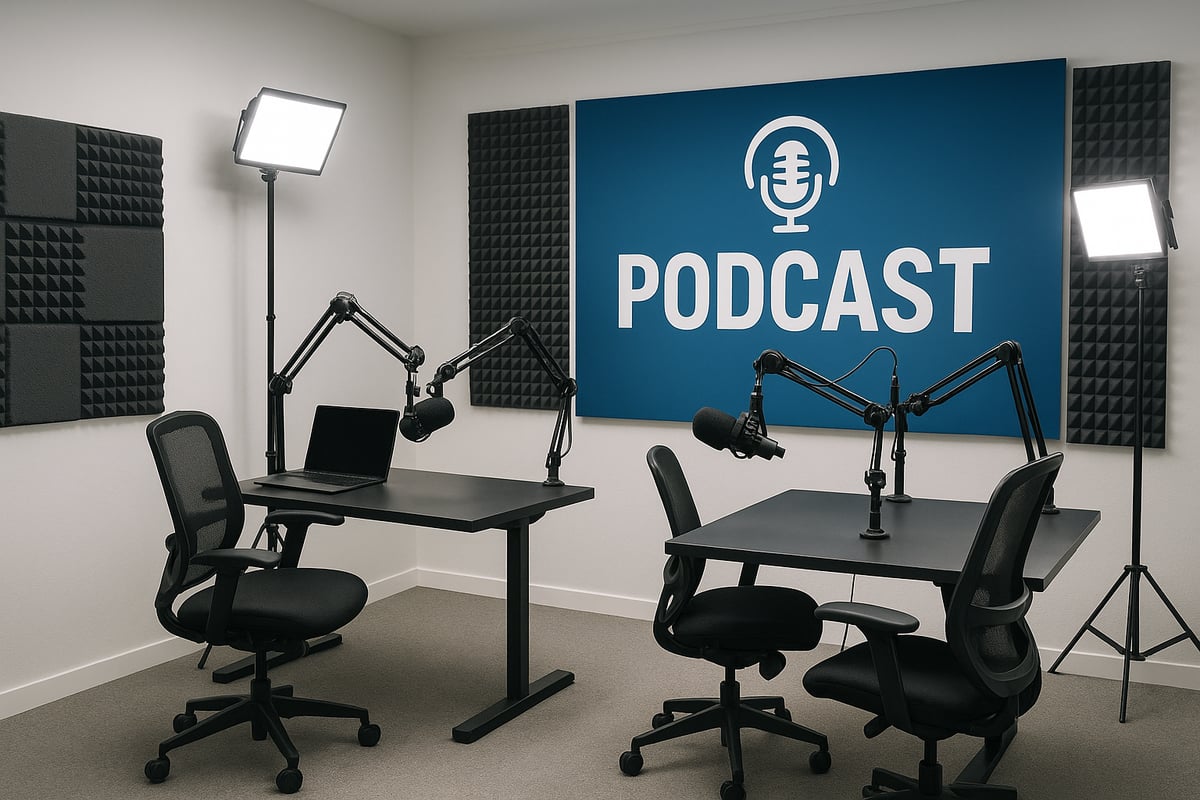
Prioritizing ergonomics is crucial when setting up a podcast studio. Comfortable, adjustable chairs and desks help maintain good posture during long recording sessions. Position microphones, monitors, and cameras at eye level to reduce strain. Efficient cable management keeps the space tidy and reduces tripping hazards.
- Choose chairs with lumbar support and height adjustment
- Opt for desks that can be used sitting or standing
- Arrange gear so hosts and guests face each other naturally
A well-planned layout makes it easy to focus on content creation rather than troubleshooting discomfort. Standing desks can add energy during live recordings, while organized cable runs improve both safety and aesthetics. When setting up a podcast studio, a focus on ergonomics leads to better performance and less fatigue.
Lighting and Visual Branding
Lighting and visual branding are increasingly important as video podcasting continues to grow. Proper lighting ensures everyone looks their best on camera, while branded or neutral backdrops create a professional appearance. Combine natural light with adjustable key lights or softboxes to minimize shadows and create consistent visuals.
- Use ring lights or panel lights for even illumination
- Place lights at 45-degree angles to reduce glare
- Incorporate branded banners or green screens for a signature look
For more details on integrating audio and video tech, see the Video Podcasting Equipment Guide 2026. Consistent visual identity helps your show stand out on YouTube and social platforms. Setting up a podcast studio with great lighting directly impacts viewer retention and engagement.
Acoustic Design and Soundproofing Enhancements
Acoustic treatment is one of the most effective ways to improve audio quality when setting up a podcast studio. Use foam panels, bass traps, and diffusers to absorb sound and reduce echo. Simple solutions like carpets and heavy curtains can also make a noticeable difference.
- Place foam panels on walls behind microphones
- Use bass traps in corners to manage low-frequency build up
- Seal doors and windows with weather stripping
Monitor your room’s acoustics with mobile apps or measurement tools, and adjust treatment as needed. Effective soundproofing not only improves recordings but also reduces editing time. Remember, investing in room treatment often yields better results than upgrading gear alone.
Multi-Use and Scalable Studio Setups
Modern podcast studios must be flexible to accommodate solo hosts, co-hosts, or multiple guests. Modular furniture and mobile equipment racks allow for quick reconfiguration. Design your space so it can host webinars, live streams, or small video shoots with minimal effort.
- Use movable desks and chairs for easy layout changes
- Store extra microphones and stands for guest episodes
- Set up portable lighting kits for on-the-go recording
Coworking studios often offer both mobile and permanent kits, catering to different needs. Setting up a podcast studio with scalability in mind ensures your space grows alongside your show and supports a wider range of content formats.
Accessibility and Inclusivity in Studio Design
Making your studio accessible is essential for welcoming all creators and guests. Install ramps and wide doorways, and provide adjustable desks and seating for people with disabilities. Add visual and audio cues for those with hearing or vision impairments, and use multilingual signage where possible.
- Offer captioning or transcription services for video podcasts
- Provide noise-canceling headphones for guests who need them
- Ensure clear pathways and non-slip flooring
Accessible studios see higher usage and foster a more inclusive community. When setting up a podcast studio, focusing on accessibility expands your audience and creates lasting connections with guests and listeners.
About Podcast Monkey
Podcast Monkey is a video-first podcast production agency that handles strategy, recording support, editing, YouTube optimization, and repurposed clips for B2B brands. We specialize in turning raw podcast recordings into polished episodes and social content ready for YouTube, podcast platforms, and social media.
To get help with your show, book a free personalized podcast strategy consultation here: https://calendly.com/d/crd7-h33-vmq/personalized-podcast-strategy-consultation
Setting Up and Testing Your Podcast Studio: Step-by-Step
Setting up a podcast studio in 2026 is a rewarding process that transforms your creative vision into a professional environment. Each stage, from unboxing equipment to final test recordings, is crucial for optimizing sound, visuals, and workflow. Follow these step-by-step instructions to ensure your studio is ready for seamless recording and future growth.
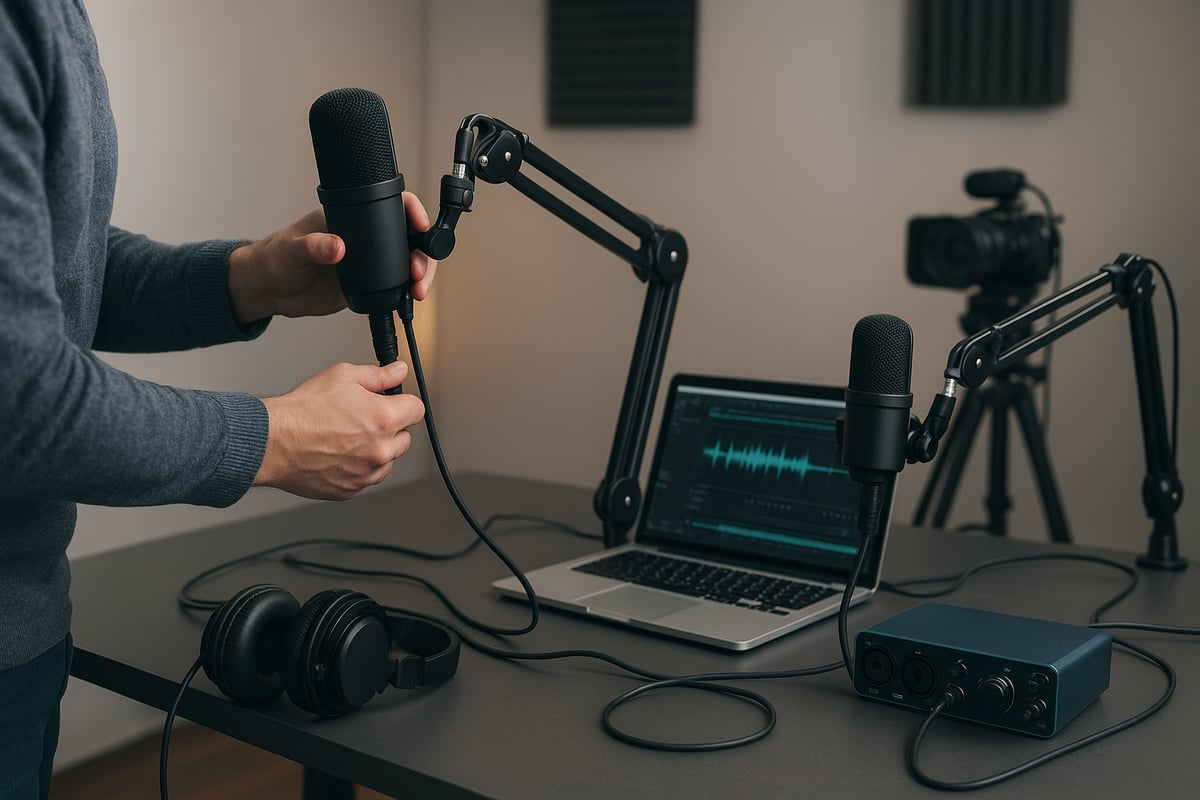
Step 1: Assembling and Arranging Equipment
Begin setting up a podcast studio by carefully unboxing and organizing your microphones, stands, headphones, and audio interfaces. Place each piece of gear in its designated spot to establish a clutter-free workspace. Connect your microphones to their stands, ensuring they are stable and positioned at mouth level.
Arrange your audio interface or mixer near your computer for easy access. Place cameras and lights if you plan to record video, and use cable ties to keep cords tidy. Laying out all equipment before finalizing your desk placement allows you to visualize your workflow and avoid unnecessary adjustments later. For a comprehensive reference, consult the Ultimate Podcast Studio Setup Guide 2025 for actionable setup tips.
Step 2: Soundproofing and Acoustic Treatment
Sound quality is the heart of setting up a podcast studio. Start by installing foam panels, bass traps, and rugs to absorb unwanted noise and reduce echo. Focus on treating walls, corners, and any reflective surfaces.
Test the room by clapping your hands and listening for reverb. Add curtains or carpets if needed to further dampen sound. Position your microphone away from windows and doors to minimize external noise. Even simple changes, like hanging thick curtains, can make a noticeable difference in clarity and warmth.
Step 3: Connecting and Configuring Audio Gear
Once your space is acoustically treated, continue setting up a podcast studio by plugging microphones into your audio interface or mixer. Use quality XLR or USB cables for reliable connections. Power on your devices and set gain levels to avoid distortion.
Enable phantom power if you use condenser microphones. Adjust headphone outputs for comfortable monitoring and use splitters if you have multiple hosts. Configure your recording software to recognize each input channel, ensuring multi-track functionality for detailed editing later.
Step 4: Video and Lighting Calibration
Video podcasting is increasingly popular, so setting up a podcast studio often includes calibrating cameras and lights. Position cameras at eye level for flattering shots and adjust tripods for stability. Use ring lights or softboxes to evenly illuminate faces and reduce harsh shadows.
Test different lighting angles to find the most natural look. Choose a clean or branded background to reinforce your podcast identity. Adjust color temperature settings on your lights and cameras to achieve a professional, consistent appearance in every recording.
Step 5: Software Installation and Workflow Setup
After hardware is in place, setting up a podcast studio requires installing your digital audio workstation (DAW), video editing software, and any remote recording tools. Programs like Audacity, Adobe Audition, or DaVinci Resolve offer robust options for audio and video production.
Create recording templates and presets to streamline your workflow. Set up cloud storage or external drives for backing up files. Organize your folder structure for easy access to raw and edited episodes. This preparation ensures smooth sessions and protects your content.
Step 6: Test Recording and Troubleshooting
The final phase of setting up a podcast studio involves running test recordings for both audio and video. Record short segments while monitoring levels and checking for background noise, hum, or mic bleed. Play back your test files to confirm clarity and balance.
If you encounter issues, adjust mic placement, gain settings, or acoustic treatments as needed. Verify that your lighting is even and your video is in focus. Repeat tests until you achieve a professional result. Thorough pre-launch testing helps resolve 95% of common problems before you record your first official episode.
About Podcast Monkey
Podcast Monkey is a video-first podcast production agency that handles strategy, recording support, editing, YouTube optimization, and repurposed clips for B2B brands. We specialize in turning raw podcast recordings into polished episodes and social content ready for YouTube, podcast platforms, and social media.
To get help with your show, book a free personalized podcast strategy consultation here: https://calendly.com/d/crd7-h33-vmq/personalized-podcast-strategy-consultation
Workflow, Production, and Studio Management Tips
Mastering workflow, production, and management is essential after setting up a podcast studio. Efficient processes ensure consistent, high-quality episodes and allow creators to focus on engaging content rather than troubleshooting or repetitive tasks.
Creating a Streamlined Recording Workflow
A streamlined workflow is the backbone of productivity when setting up a podcast studio. Begin with a pre-show checklist to verify all equipment, software, and guest arrangements. Schedule recordings using shared calendars and send reminders to co-hosts or guests.
Include technical setup instructions for remote contributors to avoid delays. Automate repetitive tasks, such as file naming or backup routines, using project management tools. These steps reduce friction and foster consistency, making the process of setting up a podcast studio efficient and stress-free.
Efficient workflows empower creators to focus on content, minimize errors, and maintain a regular publishing schedule.
Editing, Post-Production, and Quality Control
Editing and post-production polish your episodes and elevate their professionalism. Use noise reduction, leveling, EQ, and compression to ensure clarity. For video podcasts, trim highlights and add branded visuals for a cohesive look.
Quality control is vital after setting up a podcast studio. Always review audio and video before publishing to catch any missed issues. AI-powered tools can automate editing tasks, saving valuable time. For those seeking expert assistance, professional video podcast editing services can streamline your workflow and deliver broadcast-quality results.
A consistent editing process helps maintain high standards and listener satisfaction.
Publishing, Promotion, and Multi-Platform Distribution
Publishing and promoting your show is crucial for growth after setting up a podcast studio. Prepare files in the correct format for podcast directories and YouTube. Write detailed show notes, add transcripts, and optimize metadata for discoverability.
Repurpose content into short clips or audiograms for social media. Consider multi-platform releases, publishing both audio and video to reach wider audiences. To maximize your show's reach and learn advanced strategies, explore the YouTube podcast growth playbook for actionable insights on visual branding and distribution.
An organized publishing routine helps your podcast stand out and grow faster.
Studio Maintenance and Upgrades
Maintaining your space is as important as setting up a podcast studio. Regularly clean surfaces, check cables, and inspect equipment for wear. Update firmware and software for all devices to ensure optimal performance.
Plan annual reviews to identify gear that needs upgrading, such as microphones or lighting. Stay informed about emerging technologies and consider integrating AI tools or immersive audio as your needs evolve. Proactive maintenance extends the life of your investment and ensures your studio remains future-ready.
A well-maintained studio supports long-term success and smooth operation.
About Podcast Monkey
Podcast Monkey is a video-first podcast production agency that handles strategy, recording support, editing, YouTube optimization, and repurposed clips for B2B brands. We specialize in turning raw podcast recordings into polished episodes and social content ready for YouTube, podcast platforms, and social media.
To get help with your show, book a free personalized podcast strategy consultation here: https://calendly.com/d/crd7-h33-vmq/personalized-podcast-strategy-consultation
Future-Proofing Your Podcast Studio for 2026 and Beyond
Future-proofing means thinking beyond today when setting up a podcast studio. As the industry evolves, creators must stay ahead by embracing innovation, scaling their workflow, and building sustainable business models. The following strategies will help ensure your studio remains relevant, efficient, and profitable as podcasting continues to transform.
Embracing New Technologies and Trends
Staying current with technology is essential when setting up a podcast studio for 2026. AI-powered editing, voice enhancement, and automated content repurposing are now standard, cutting post-production time dramatically. Studios are also experimenting with VR, AR, and immersive audio, creating engaging experiences beyond traditional formats. Live streaming tools now offer instant audience interaction, making podcasts feel like live events.
For creators interested in video podcasting and interactive formats, resources like Launch a video podcast provide expert guidance on integrating video workflows. Data shows AI tools can reduce editing time by up to 50 percent, allowing you to focus on content and audience growth.
Scaling for Growth: From Solo to Team Productions
As your show evolves, scaling becomes a priority. Setting up a podcast studio that supports multi-host or remote production requires gear upgrades and collaborative tools for seamless teamwork. Consider cloud-based project management and remote editing solutions for distributed teams. Outsourcing editing, promotion, or even episode management can free up time as your production grows.
If you are evaluating new equipment, the Podcast Equipment Guide 2025 is a valuable resource for selecting gear that matches your goals. Scalable workflows and flexible studio layouts will help maintain consistent quality, whether you are a solo creator or managing a network.
Monetization and Sponsorship Readiness
A future-ready podcast studio is built for monetization. Analytics and audience tracking tools are vital for measuring performance and attracting sponsors. Prepare media kits and sponsorship packages to present your show professionally. Dynamic ad insertion and branded content can maximize revenue without disrupting the listener experience.
Studios optimized for sponsorships are more likely to attract premium partners. Data shows that sponsored podcasts can earn three times more per episode compared to non-sponsored shows. When setting up a podcast studio, plan for analytics integration and ad-read capabilities from the start.
Community Building and Networking Opportunities
Community engagement drives long-term success. Use your studio for workshops, live events, and collaborative recordings to connect with listeners and peers. Partnerships with other creators and brands can expand your reach and foster innovation. Hosting panels or member events in your space boosts retention and audience loyalty.
Studios that prioritize accessibility and inclusivity report higher engagement and usage rates. When setting up a podcast studio, create a space that welcomes diverse voices and encourages interaction. The result is a thriving network and a lasting impact within your niche.
About Podcast Monkey
Podcast Monkey is a video-first podcast production agency that handles strategy, recording support, editing, YouTube optimization, and repurposed clips for B2B brands. We specialize in turning raw podcast recordings into polished episodes and social content ready for YouTube, podcast platforms, and social media.
To get help with your show, book a free personalized podcast strategy consultation here: https://calendly.com/d/crd7-h33-vmq/personalized-podcast-strategy-consultation
Now that you have a clear roadmap for setting up your podcast studio in 2026—from choosing the right space and equipment to optimizing workflow and future-proofing your setup—you might be wondering how to translate these steps into action for your unique goals. If you want expert guidance or just want to make sure you’re on the right track, I invite you to take the next step. Let’s work together to streamline your podcast production and maximize your reach. You can Book A Free Consultation to get tailored advice and start building a podcast studio that grows with you.
Article written using RankPill.