
Essential Guide to Equipment to Start a Podcast in 2026

Podcasting in 2026 is experiencing record growth, with new voices emerging daily and audiences expanding worldwide. The barrier to entry feels lower than ever, but standing out requires more than just creativity and passion.
The truth is, your choice of equipment to start a podcast directly shapes your show’s sound quality, listener experience, and long-term growth. Whether you are just starting out or aiming for a professional edge, the right gear is your foundation for podcasting success.
This essential guide breaks down everything you need to launch a standout podcast—from microphones and audio interfaces to editing software, accessories, and expert setup tips. Ready to turn your vision into a show listeners love? Let’s get started.
Understanding Podcasting Equipment Essentials
Launching a podcast is more accessible than ever, but choosing the right equipment to start a podcast is fundamental for long-term success. With the industry evolving rapidly, understanding what matters most in 2026 can make or break your show’s debut.
The Importance of Quality Gear in 2026 Podcasting
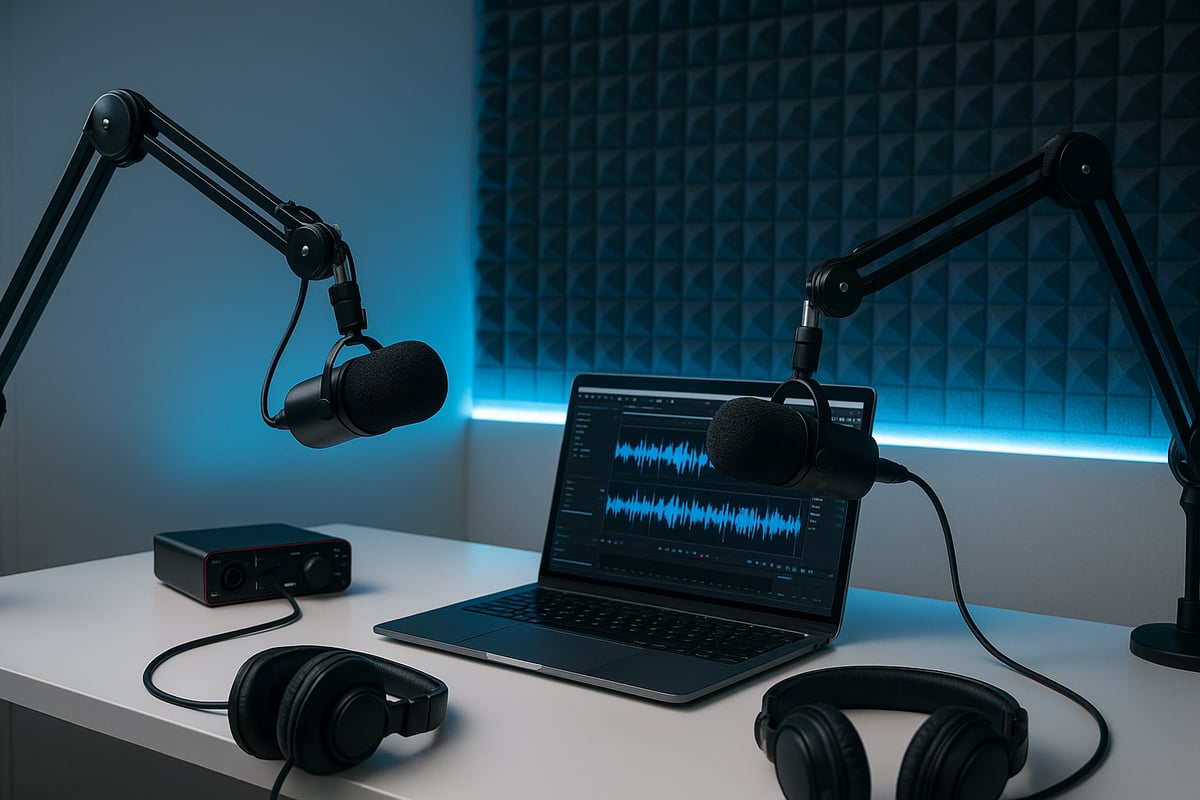
Audio quality has become a defining factor in podcast growth and listener retention. As more creators enter the space, platforms are prioritizing professionally produced shows in their algorithms. If your podcast has muffled voices or background noise, you risk losing listeners quickly—surveys indicate 60% of audiences abandon shows with poor audio.
Many new podcasters underestimate the impact of equipment to start a podcast. Relying on built-in laptop microphones or budget earbuds can lead to frustrating editing sessions, negative reviews, and lost credibility. Investing in even modest professional gear helps minimize post-production headaches and ensures your episodes sound polished from day one.
The benefits extend beyond sound. The right setup can streamline your workflow, making recording and editing more efficient. For example, podcasts that adopted higher-grade microphones and interfaces early often saw faster audience growth and better reviews. According to the Podcast Equipment Survey 2024, creators who upgrade their gear report higher engagement and easier production cycles.
Ultimately, viewing your equipment to start a podcast as an investment rather than an expense is critical. Professional gear is now a baseline expectation, not a luxury.
Types of Podcasting Setups: Solo, Co-Host, Interview, and Remote
The format of your podcast directly influences the equipment to start a podcast that you’ll need. A solo show may require just one quality microphone and headphones, while co-hosted or interview-based shows often need multiple microphones, mixers, and monitoring tools. Planning your setup early helps avoid unnecessary costs and ensures your show can scale as it grows.
Here’s a quick comparison of common podcast setups and their typical gear requirements:
|
Format |
Mic(s) Needed |
Headphones |
Audio Interface |
Mixer |
Remote Capability |
|---|---|---|---|---|---|
|
Solo |
1 |
1 |
Optional |
No |
Optional |
|
Co-Host |
2+ |
2+ |
Yes |
Yes |
Optional |
|
Interview |
2+ |
2+ |
Yes |
Yes |
Recommended |
|
Remote/Hybrid |
1+ |
1+ |
Yes |
Yes |
Essential |
|
Video Podcast |
1+ |
1+ |
Yes |
Yes |
Often Used |
Remote podcasting has surged in popularity, especially as hybrid recording and video podcasts become mainstream in 2026. These trends mean that equipment to start a podcast now often includes webcams, lighting, and software for high-quality remote interviews.
For example, a two-mic interview setup offers better clarity and control than sharing a single microphone between hosts. Planning your podcast format in advance ensures you invest in the right equipment to start a podcast, saving you money and making future upgrades seamless.
Step 1: Choose the Right Microphone
Selecting the right microphone is the cornerstone of any equipment to start a podcast. Your choice directly impacts audio quality, listener retention, and editing workload. In 2026, the range of microphones available has expanded, making it crucial to match your mic to your recording style and environment. Whether you are recording in a professional studio or a spare bedroom, understanding microphone types and accessories ensures your podcast stands out.
Microphone Types: Dynamic vs. Condenser
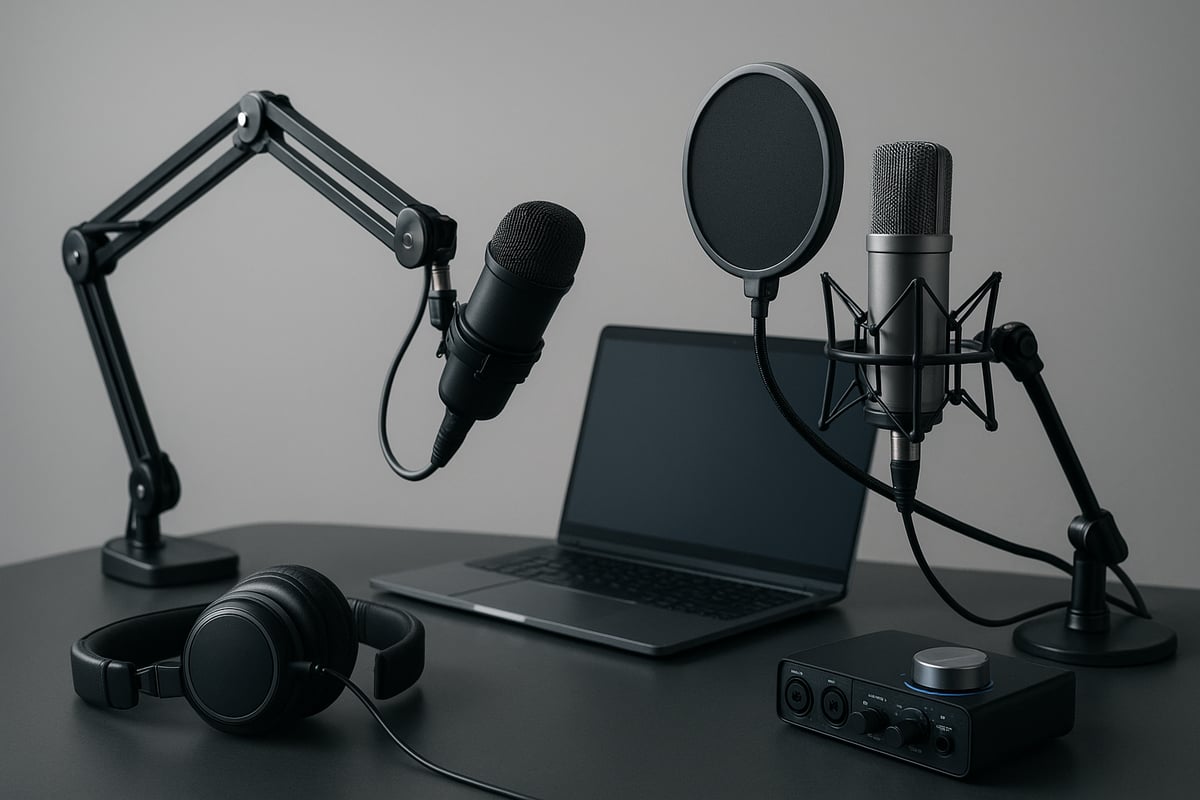
When evaluating equipment to start a podcast, understanding microphone types is essential. Dynamic microphones are known for their rugged design and excellent noise rejection, making them ideal for untreated rooms or noisy environments. They are less sensitive to background noise and are a favorite for live broadcasts and solo podcasters who record at home.
Condenser microphones, on the other hand, are prized for their sensitivity and ability to capture crisp, studio-quality sound. They require phantom power and are best suited for controlled studio spaces. Podcasters aiming for the most natural vocal reproduction often select condenser mics, especially for interview or narrative formats.
The choice between USB and XLR microphones also matters in your equipment to start a podcast. USB mics, like the Blue Yeti, are plug-and-play and perfect for beginners or mobile setups. XLR microphones, such as the Shure SM7B, offer superior audio fidelity and flexibility for professional studios, but require an audio interface.
A recent survey highlights that USB microphones remain the most popular entry-level option in 2026, thanks to their convenience and affordability. However, matching your mic type to your recording environment is the best way to avoid common pitfalls like unwanted noise or editing hassles. For a deeper dive into choosing and setting up your gear, explore these audio editing and equipment tips.
Essential Microphone Accessories
No equipment to start a podcast is complete without the right accessories. Pop filters are a must-have, as they reduce plosive sounds that can distort speech and distract listeners. Simply adding a pop filter can instantly enhance audio clarity, making your voice sound more professional.
Shock mounts are another key accessory, designed to isolate the microphone from vibrations and accidental bumps. This is especially important for podcasters who use adjustable boom arms or desk stands, as it minimizes low-frequency rumbles during recording.
Windscreens provide protection when recording outdoors or in mobile settings, ensuring wind and breath noises do not interfere with your content. Boom arms and desktop stands not only offer ergonomic positioning for longer sessions but also help keep your workspace organized.
When assembling your equipment to start a podcast, consider these accessories as investments in both quality and comfort. Small upgrades like cable ties and adjustable stands streamline your workflow, allowing you to focus on delivering engaging content.
Budget and Premium Microphone Recommendations
Choosing microphones within your budget is a practical step in building your equipment to start a podcast. Entry-level options like the Samson Meteor, Rode NT-USB, and Blue Yeti offer impressive sound quality for new creators at an accessible price point.
For those ready to invest more, mid-range microphones such as the Audio-Technica AT2020 or Rode NT1 provide enhanced clarity and durability, suitable for podcasters planning to scale their production. The Shure SM7B stands out as a professional favorite, delivering broadcast-grade sound for studios and experienced hosts.
Most new podcasters allocate between $70 and $250 for their first microphone, balancing cost with performance. When deciding, factor in your room acoustics, long-term growth plans, and the types of episodes you plan to record. A well-chosen microphone ensures your equipment to start a podcast delivers the quality needed to attract and retain listeners.
Step 2: Headphones and Monitoring Tools
To achieve professional results with your equipment to start a podcast, quality monitoring tools are essential. Headphones play a vital role in every stage of production, from recording to editing. Without the right monitoring setup, even the best microphones and software can fall short. Let us explore why headphones matter so much, the best accessories to enhance your workflow, and how to select the perfect pair for your podcasting journey.
Why Monitoring Matters
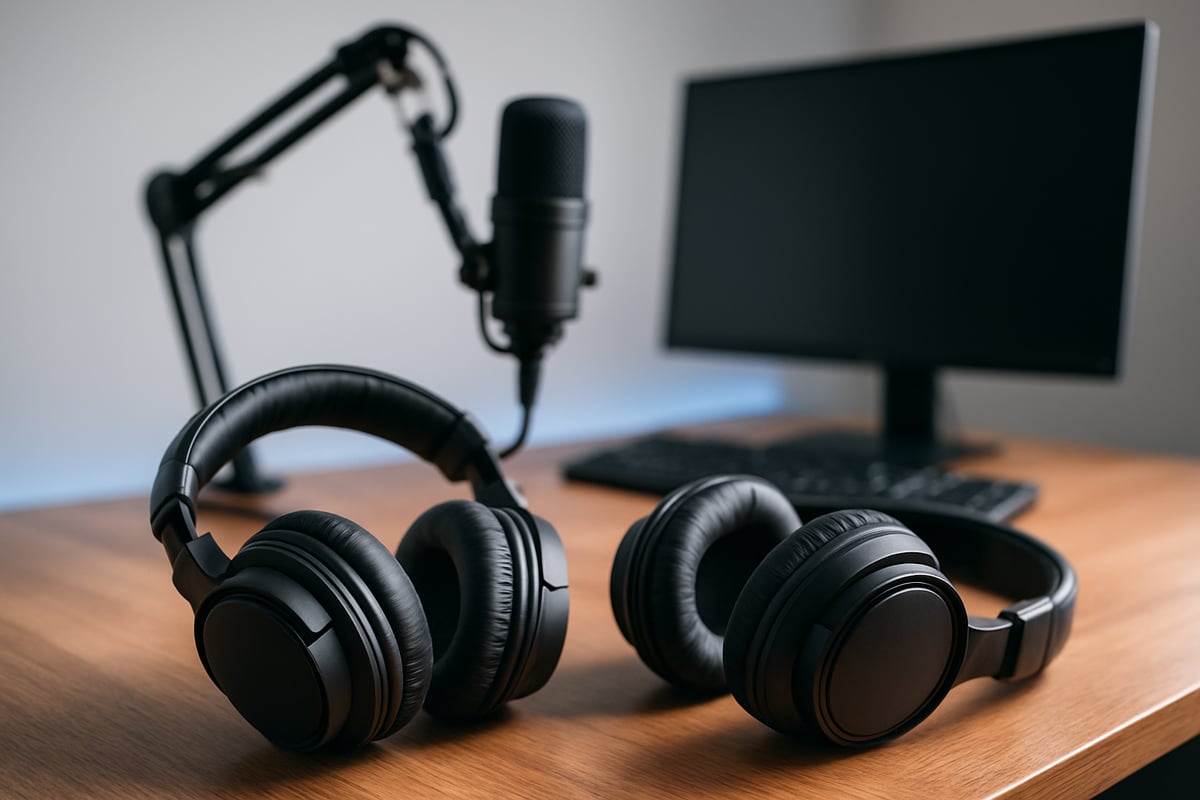
Monitoring is a cornerstone of using equipment to start a podcast effectively. Real-time listening allows you to catch background noise, mic pops, and volume inconsistencies before they become editing headaches. This simple practice can save hours in post-production and prevent the need for costly re-recordings.
Closed-back headphones are the preferred choice for most podcasters. They offer strong isolation, preventing bleed from the headphones back into the microphone. In contrast, open-back headphones provide a more natural sound but are less effective at blocking out distractions, making them less suitable for most podcast studios.
Noise cancellation is another valuable feature, especially in home or mobile setups. It helps ensure you hear only what is being recorded, even in less-than-ideal environments. The Sennheiser HD 280 PRO is a classic example of a closed-back, well-isolated headphone trusted by professionals worldwide.
Headphone Accessories and Extensions
To get the most out of your equipment to start a podcast, consider accessorizing your headphones. Extension cables are indispensable for flexible studio layouts, allowing you and your co-hosts to move freely without tugging on cords. For multi-host setups, headphone splitters let everyone monitor the session simultaneously, maintaining consistency and communication throughout the recording.
Wireless headphones are increasingly popular, but wired models remain the standard for podcasting due to their zero latency and reliable connection. Latency, even a slight delay, can disrupt the timing and natural flow of conversation. According to industry surveys, 80 percent of professional podcasters still prefer closed-back wired headphones for their sessions.
When setting up your studio, do not forget cable management tools. Velcro ties, clips, and labels keep your space organized and prevent accidental unplugging or tripping during recording.
Selecting the Right Headphones for Your Needs
Choosing headphones is a crucial step in assembling the equipment to start a podcast. Entry-level options like the Hosa HDS-100 and Audio-Technica ATH-M20x deliver solid performance on a budget, offering comfort and clarity for new creators. For those ready to invest in mid-range or pro gear, the Sony MDR-7506 and Beyerdynamic DT 770 PRO are renowned for their balanced sound and durability.
Long editing sessions demand headphones that are comfortable and built to last. Look for padded ear cups, adjustable headbands, and lightweight designs to minimize fatigue. Investing in quality headphones ensures your episodes sound polished and reduces listener drop-off due to audio flaws.
For the latest advancements and in-depth recommendations on headphones and related gear, the Best Podcast Equipment for 2026 guide provides an excellent resource to support your decision-making.
Step 3: Audio Interfaces, Mixers, and Recording Devices
Choosing the right equipment to start a podcast is essential for producing clear, professional audio. In this step, we explore the tools that bridge your microphone to your computer, enable multi-host setups, and offer flexibility for mobile recording. Understanding each component helps you make confident decisions as you build your podcasting workflow.
Audio Interfaces: Connecting Mics to Your Computer
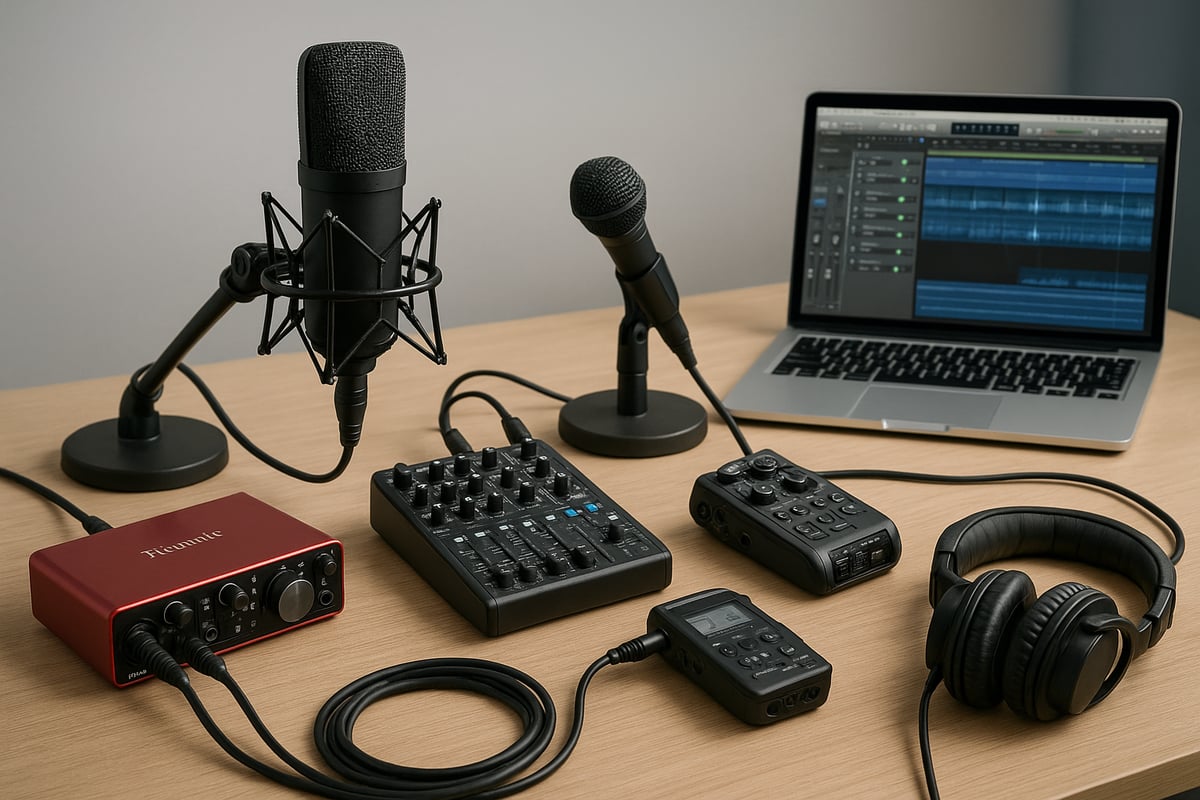
Audio interfaces are fundamental pieces of equipment to start a podcast. They convert your microphone's analog signal into digital audio your computer can process. Most interfaces offer phantom power for condenser mics, clean preamps for quality sound, and multiple inputs for co-hosts or guests.
When comparing interfaces, look for:
-
Number of XLR/line inputs for your recording needs
-
Built-in headphone monitoring and volume control
-
USB vs. Thunderbolt connectivity for speed and compatibility
|
Interface |
Inputs |
Phantom Power |
Connectivity |
Best For |
|---|---|---|---|---|
|
Focusrite Scarlett 2i2 |
2 |
Yes |
USB-C |
Solo/Co-host |
|
Behringer U-Phoria UMC404HD |
4 |
Yes |
USB 2.0 |
Panel/Interviews |
|
PreSonus AudioBox USB 96 |
2 |
Yes |
USB 2.0 |
Beginners |
USB interfaces remain popular for their plug-and-play simplicity, while Thunderbolt options offer lower latency for advanced users. For more gear options and detailed setup advice, see the Podcast Equipment Guide 2025.
Aligning your interface with your equipment to start a podcast ensures smooth recording and editing.
Mixers: When and Why You Need One
Mixers serve a different role in your equipment to start a podcast. While audio interfaces simply transfer sound, mixers allow you to blend multiple audio sources, adjust levels in real time, add effects, and route audio for live shows or remote guests.
A mixer is especially helpful if you:
-
Host roundtable discussions with several microphones
-
Want to add music, sound effects, or call-in audio live
-
Need independent headphone mixes for co-hosts
USB mixers combine mixing and interfacing in one device, making them a space-saving choice for podcasters. Analog mixers, on the other hand, offer tactile control and are often favored by pros for their reliability.
For example, a live interview podcast with two hosts and a remote guest benefits from a USB mixer, letting you control each channel and send a clean feed to your recording software. Choosing the right mixer as part of your equipment to start a podcast can streamline your workflow and prevent post-production headaches.
Standalone Recorders and Mobile Solutions
Flexibility is key in equipment to start a podcast, and standalone recorders excel in this area. Devices like the Zoom H6 or Tascam DR-40X let you capture high-quality audio directly to an SD card. They are ideal for on-location interviews, backup recordings, or any situation where computer access is limited.
Advantages of portable recorders:
-
Battery-powered operation for fieldwork
-
Multiple XLR inputs for group interviews
-
Built-in microphones for capturing ambient sound
Hybrid setups, where you combine a portable recorder and a computer, are common for remote and interview-based podcasts. Over 40 percent of podcasters who rely on interviews use portable recorders for their equipment to start a podcast, valuing the reliability and mobility they provide.
When planning your setup, consider if you will need to record outside the studio or require a backup in case of computer issues.
Essential Cables and Connectivity
No matter how advanced your equipment to start a podcast is, reliable cables and proper connectivity are non-negotiable. XLR cables are the gold standard for microphones, offering superior durability and audio quality compared to USB or 1/4-inch cables.
Key cable types:
-
XLR cables for microphones and mixers
-
USB cables for connecting interfaces to computers
-
Headphone extension and splitter cables for flexible monitoring
Cable management is often overlooked but makes a significant difference. Use cable ties, labels, and organizers to keep your workspace tidy and prevent accidental disconnections.
A well-organized cable setup not only protects your equipment to start a podcast but also contributes to a smoother, more professional recording experience.
Step 4: Computers, Software, and Digital Audio Workstations (DAWs)
Selecting the right computer and software is a cornerstone of the equipment to start a podcast. Whether you are recording solo or producing a complex show, your setup will determine recording quality, editing efficiency, and future scalability. Let us explore the essential choices for computers, recording programs, and vital plugins for a seamless workflow.
Choosing the Right Computer for Podcasting
The heart of any equipment to start a podcast is a reliable computer. In 2026, most podcasters use a laptop or desktop with at least 16GB RAM, a modern multi-core processor, and SSD storage for faster file handling. Both Mac and PC systems offer excellent performance, but compatibility with your preferred digital audio workstation (DAW) and plugins should guide your choice.
Many creators favor the MacBook Air with the M2 chip for its portability and power, while Windows PCs provide more customization for budget-conscious users. Tablets and mobile devices are increasingly used for lightweight podcasting, especially when paired with streamlined DAWs and cloud backup. Before investing, consider the type of equipment to start a podcast that fits your recording style, whether stationary or mobile, and ensure your machine can handle audio editing without lag.
Podcast Recording and Editing Software
Your software choice is just as crucial as your hardware when selecting equipment to start a podcast. Leading DAWs like Audacity (free), GarageBand (Mac), Reaper, Adobe Audition, and Hindenburg cater to different budgets and workflows. Free options offer essential recording and editing features, while paid DAWs provide advanced tools, effects, and automation.
AI-assisted editing tools are transforming podcast production in 2026, with features like auto-leveling, noise removal, and smart cuts. For video podcasts, integration with video editing software is a must.
Essential Plugins and Editing Tools
Optimizing your audio with plugins is a non-negotiable part of equipment to start a podcast. Must-have tools include noise reduction, compression, and EQ plugins to polish your sound. Automated transcription services make creating show notes and captions easier, supporting accessibility and SEO.
Many podcasters use plugins for de-essing, limiting, and multi-band compression to refine audio further. For video podcasts, look for plugins that ease audio-video sync and provide real-time monitoring. Integrating these tools into your DAW workflow streamlines editing and ensures your episodes meet the rising production standards of 2026.
Step 5: Studio Setup, Acoustics, and Accessories
Setting up your studio is the final and most transformative step in selecting equipment to start a podcast. A well-designed space boosts your audio quality and creates a comfortable, inspiring environment for recording. Whether you are building a dedicated studio or converting a spare room, attention to detail here will pay off in every episode.
Creating an Ideal Recording Environment
The foundation of excellent podcast audio is a quiet, acoustically treated space. When choosing a location, avoid high-traffic areas and rooms with hard, reflective surfaces. Soft furnishings, thick curtains, and carpets help absorb sound and reduce echo.
Acoustic treatment is essential for minimizing unwanted noise. Foam panels, bass traps, and diffusers can be strategically placed on walls and ceilings to tame reflections. Even a few well-placed panels will make a noticeable difference, especially when using sensitive equipment to start a podcast.
Reducing external noise is critical. Seal windows and doors, use weather stripping, and unplug noisy electronics. Many successful podcasters have transformed spare bedrooms into functional studios by layering rugs, hanging heavy curtains, and isolating their recording area from household sounds.
Furniture and Comfort Considerations
Comfort is often overlooked, but it is vital for long recording sessions. Invest in an ergonomic chair with adjustable height and lumbar support. A sturdy desk that accommodates your equipment to start a podcast will help you maintain good posture and workflow.
Table placement matters. Position your desk away from corners to minimize unwanted sound reflections. Use shelves and storage bins to keep microphones, headphones, and cables organized and within reach.
A clutter-free workspace enhances focus and efficiency. Consider cable trays or under-desk organizers to keep wires tidy. Simple touches like a small lamp or a plant can make your studio feel welcoming without compromising acoustics.
Must-Have Accessories for Every Podcaster
Accessories can dramatically improve your recording experience and final audio quality. Every setup for equipment to start a podcast should include a stable microphone stand or boom arm. Shock mounts reduce vibrations from desk bumps, while pop filters prevent harsh plosives from reaching the mic.
For those interested in video, lighting is crucial. Adjustable LED panels or ring lights provide flattering, consistent illumination. Camera positioning should complement your microphone and not obstruct your view. For a comprehensive overview of gear for both audio and video, check out Launching a video podcast essentials.
Cable management is often underestimated. Velcro ties, labels, and organizers keep your studio safe and efficient. Store spare equipment and accessories in dedicated drawers or boxes to prevent clutter and damage.
Budgeting for Your Studio
Prioritizing your spending is the smartest way to acquire equipment to start a podcast. Begin with the essentials—microphone, headphones, interface, and acoustic treatment. As your show grows, upgrade components to match your evolving needs.
Here is a quick comparison of entry-level and advanced setups:
|
Studio Type |
Estimated Cost |
Key Features |
|---|---|---|
|
Entry-Level |
$300–$500 |
Basic mic, headphones, minimal treatment |
|
Advanced Multi-Host |
$800–$1,500 |
Multiple mics, premium acoustics, video gear |
On average, podcasters invest between $300 and $1,000 in their first year. By planning ahead and focusing on scalable solutions, you can ensure your investment in equipment to start a podcast supports your long-term goals.
Step 6: Publishing, Hosting, and Distribution Tools
Navigating the world of publishing, hosting, and distribution is crucial after you have gathered the right equipment to start a podcast. Once your episodes are recorded, the next step is to choose a reliable hosting platform that will serve as the backbone for your show’s online presence.
Podcast Hosting Platforms: What to Look For
Selecting the right podcast hosting platform is a foundational decision for any creator investing in equipment to start a podcast. Key features to consider include in-depth analytics, seamless RSS feed management, and monetization options that align with your growth goals.
A robust host should also offer scalability, ensuring your show can expand as your audience grows. Popular choices in 2026 include Libsyn, Buzzsprout, Simplecast, and SoundCloud, each providing unique benefits. For example, Buzzsprout is favored for its user-friendly distribution and detailed analytics dashboard, making it easy to track your show's performance.
Cost is another factor. Free hosting options may limit features, while paid plans unlock advanced analytics and monetization tools. Compare plans to ensure your hosting supports the equipment to start a podcast and your ambitions for the show.
|
Platform |
Analytics |
Monetization |
Free Plan |
Scalability |
|---|---|---|---|---|
|
Libsyn |
Yes |
Yes |
No |
High |
|
Buzzsprout |
Yes |
Yes |
Yes |
Moderate |
|
Simplecast |
Yes |
Yes |
No |
High |
|
SoundCloud |
Limited |
Yes |
Yes |
Moderate |
Preparing Your Podcast for Distribution
Once your episodes are ready, presentation matters. High-quality cover art and well-written show descriptions help attract listeners and distinguish your brand. Metadata, such as episode titles and tags, is essential for discoverability on platforms like Apple Podcasts, Spotify, Google Podcasts, and YouTube.
With more creators integrating video into their workflow, it is wise to consider how your equipment to start a podcast can support both audio and video formats. For a comprehensive overview of integrating equipment for these trends, see the Video Podcasting Equipment 2026 guide.
Custom artwork and optimized metadata have a measurable impact. Data shows podcasts with tailored visuals and descriptions see a 30 percent higher click-through rate. Submission to multiple directories increases your reach and ensures your content is accessible wherever your audience prefers to listen or watch.
Promoting and Growing Your Podcast Audience
Effective promotion is just as important as the equipment to start a podcast. Social media channels like Instagram, TikTok, and YouTube are powerful tools for sharing audiograms and short-form video clips, making it easier to capture new listeners’ attention.
Building a dedicated website and an email list helps foster deeper engagement. Collaborating with other creators and inviting guest speakers can expose your podcast to new audiences. For example, leveraging Instagram Reels or TikTok not only increases visibility but also encourages sharing, which can rapidly accelerate audience growth in 2026.
-
Share audiograms and video teasers on social media
-
Build a website for your podcast
-
Collaborate with other podcasters
-
Engage with your audience through email newsletters
Analytics and Continuous Improvement
Tracking your podcast's performance is essential, no matter how advanced your equipment to start a podcast is. Hosting platforms provide analytics on downloads, listener demographics, and engagement. Reviewing these metrics regularly helps you refine your content and marketing strategies.
Gather listener feedback through reviews and surveys. Adjust your show based on what your audience values most. Data shows podcasters who consistently monitor and act on analytics grow twice as fast as those who do not. Continuous improvement ensures your podcast remains relevant and competitive in a crowded landscape.
Now that you have a solid understanding of the essential equipment needed to launch your podcast in 2026, you might be wondering how to put it all together for the best results. The path to a professional show is much smoother when you have expert guidance—from choosing the right gear to setting up your workflow and maximizing your reach. If you’re ready to take your podcast idea from concept to reality with confidence, I invite you to Book A Free Consultation. Let’s make your podcast stand out from day one.